
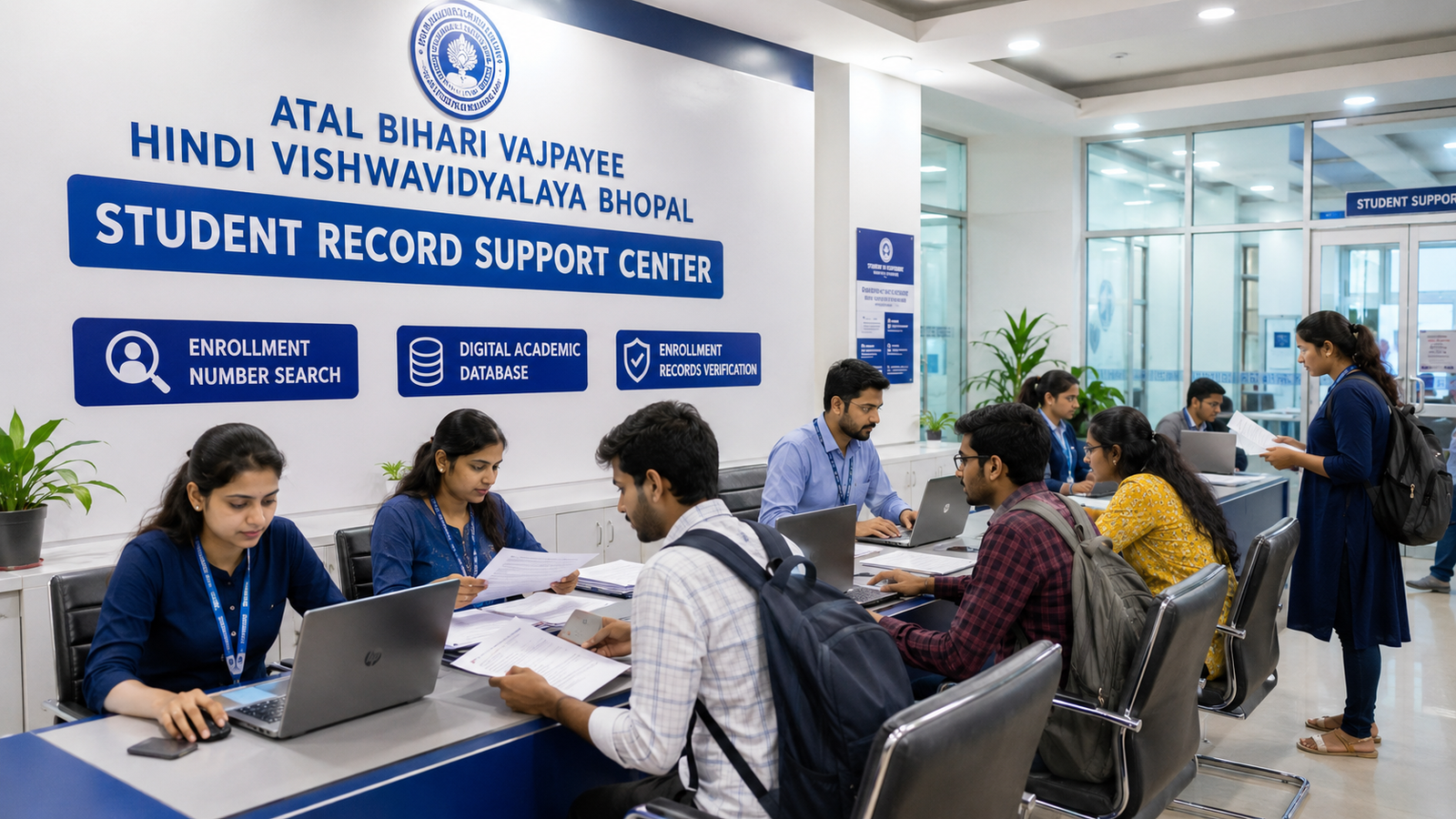
Atal Bihari Vajpayee Hindi Vishwavidyalaya Application Form 2026
Diploma और PG Diploma course में admission लेने वाले students Atal Bihari Vajpayee Hindi Vishwavidyalaya Application Form 2026 की online process, eligibility, documents, application fees, payment receipt, form status और correction से जुड़ी जानकारी search करते हैं।
कई students application form भरते समय student name, father name, date of birth, course name, session, qualification, mobile number, photograph या documents upload करने में गलती कर देते हैं। यही details आगे admission, enrollment, exam form, admit card, result, marksheet और certificate में use हो सकती हैं।
इसलिए application form केवल एक सामान्य online form नहीं है। यह student के complete academic record की foundation बन सकता है।
इस detailed guide में आपको निम्न जानकारी मिलेगी:
- Application form क्या है
- Diploma और PG Diploma form में difference
- Online registration process
- Course selection
- Personal और academic details
- Required documents
- Photograph और signature upload
- Application fees
- Payment failure
- Application number
- Form status
- Document objection
- Form correction
- Wrong course या session correction
- Submitted form की copy
- Admission और enrollment के अगले steps
Course availability, form dates, fees, correction facility और document requirements current academic session के अनुसार बदल सकती हैं। इसलिए form भरने या payment करने से पहले current instructions verify करना जरूरी है।
Atal Bihari Vajpayee Hindi Vishwavidyalaya Application Form 2026 क्या है?
Application form वह academic record होता है जिसके माध्यम से student किसी selected course के लिए अपनी personal, educational और contact details submit करता है।
Application form में सामान्य रूप से शामिल हो सकते हैं:
- Student registration
- Course selection
- Personal details
- Parent details
- Contact information
- Address
- Academic qualification
- Documents upload
- Photograph
- Signature
- Application fee
- Final submission
- Application acknowledgement
- Form-status tracking
Application form submit होने का मतलब हर situation में admission confirm होना जरूरी नहीं है। Documents verification, eligibility approval, payment confirmation और enrollment जैसे आगे के steps भी हो सकते हैं।
Application Form और Admission में क्या Difference है?
Students अक्सर application form submit करने को ही admission complete मान लेते हैं।
Application Form
Application form में student admission के लिए अपनी details और documents submit करता है।
Admission Confirmation
Admission confirmation eligibility, documents, course availability और payment verification के बाद हो सकती है।
Enrollment
Enrollment में student का academic record और enrollment number generate हो सकता है।
इसलिए ये अलग-अलग stages हो सकती हैं:
- Form registration
- Application submitted
- Documents verification
- Payment confirmation
- Admission confirmation
- Enrollment process
- Enrollment number generation
Student को application के बाद admission और enrollment दोनों status check करना चाहिए।
Diploma Application Form 2026
Diploma-level courses के application form में सामान्य रूप से 10th और 12th qualification details मांगी जा सकती हैं।
Possible Diploma courses:
- Diploma First Aid Treatment
- Diploma Basic Health Care
- Diploma Hospital Management
- Diploma Electro Homeopathy
- Diploma Natural Pharmacy
- Diploma Naturopathy and Yoga
- Diploma Sports Injury Diagnosis and Management
- Diploma Fire Safety
- Diploma Industrial Safety
Current session में सभी courses available हों, यह जरूरी नहीं है। Form भरने से पहले exact course availability confirm करें।
PG Diploma Application Form 2026
PG Diploma courses के form में 10th, 12th और graduation details मांगी जा सकती हैं।
Possible PG Diploma courses:
- PG Diploma Basic Health Care
- PG Diploma Hospital Management
- PG Diploma Community Health Care
- PG Diploma Health Insurance Management
- PG Diploma Dietetics and Public Health Nutrition
- PG Diploma Disaster Management
- PG Diploma Industrial Safety
- PG Diploma Sports Injury Management
PG Diploma form submit करने से पहले graduation eligibility और required academic stream verify करें।
Application Form भरने से पहले क्या Check करें?
Online form शुरू करने से पहले student को ये details clear कर लेनी चाहिए:
- Course current session में available है
- Diploma या PG Diploma level सही है
- Student eligibility पूरी करता है
- Course का exact name पता है
- Admission session सही है
- Course duration समझ ली है
- Practical और project requirements पता हैं
- Total fees की जानकारी है
- Professional scope समझ लिया है
- Legal limitations समझ ली हैं
- Documents ready हैं
- Photograph और signature तैयार हैं
- Active mobile number उपलब्ध है
- Active email ID उपलब्ध है
Form खोलने के बाद course decide करना गलत selection का कारण बन सकता है।
Application Form भरने की Step-by-Step Process
General online application process निम्न प्रकार की हो सकती है:
- Current admission information check करें।
- Correct application portal या authorized process verify करें।
- New student registration करें।
- Mobile number और email verify करें।
- Login details सुरक्षित रखें।
- Diploma या PG Diploma category select करें।
- Correct course select करें।
- Admission session select करें।
- Personal details भरें।
- Parent details भरें।
- Address भरें।
- Academic qualification भरें।
- Photograph upload करें।
- Signature upload करें।
- Required documents upload करें।
- Form preview check करें।
- Applicable application fee pay करें।
- Payment status verify करें।
- Final submit करें।
- Application number note करें।
- Submitted form download करें।
- Receipt download करें।
- Form status regularly check करें।
Exact process current portal या academic instructions के अनुसार अलग हो सकती है।
New Student Registration
Application form शुरू करने से पहले student registration करना पड़ सकता है।
Registration में possible details:
- Student name
- Mobile number
- Email ID
- Date of birth
- Password
- OTP verification
- Captcha
- Registration category
Registration के समय अपना mobile number और email use करना बेहतर होता है।
Mobile Number अपना ही क्यों देना चाहिए?
Mobile number पर प्राप्त हो सकते हैं:
- OTP
- Registration confirmation
- Application number
- Payment update
- Document objection
- Admission update
- Enrollment notification
- Exam-related information
- Password recovery
Cyber-café operator या दूसरे व्यक्ति का number देने से future access problem हो सकती है।
Email ID क्यों Important है?
Email पर possible information:
- Form acknowledgement
- Fee receipt
- Login recovery
- Document query
- Admission confirmation
- Academic notices
- Enrollment details
Student को ऐसी email ID use करनी चाहिए जिसका password उसके पास हो।
Course Selection करते समय सावधानियाँ
Application form में गलत course select होना serious problem हो सकता है।
Course select करने से पहले verify करें:
- Course का complete name
- Diploma या PG Diploma
- Admission session
- Eligibility
- Duration
- Subject area
- Course code, if applicable
- Current availability
- Professional limitations
Diploma की जगह PG Diploma Select हो जाए तो?
Diploma और PG Diploma की eligibility अलग हो सकती है। Wrong category select होने पर form reject हो सकता है या correction की जरूरत पड़ सकती है।
तुरंत:
- Application number note करें
- Form copy download करें
- Payment receipt save करें
- Wrong और correct course लिखें
- Written correction guidance लें
- नया payment करने से पहले confirmation लें
Wrong Course Select हो जाए तो?
उदाहरण:
- Basic Health Care की जगह Hospital Management
- Fire Safety की जगह Industrial Safety
- Diploma की जगह PG Diploma
- Sports Injury की जगह Disaster Management
ऐसी गलती मिलने पर final admission या enrollment से पहले correction कराना जरूरी है।
Personal Details कैसे भरें?
Application form में personal details academic documents के अनुसार भरनी चाहिए।
Possible personal details:
- Student name
- Father name
- Mother name
- Date of birth
- Gender
- Category
- Nationality
- Religion, if asked
- Aadhaar details
- Marital status, if asked
- Disability details, if applicable
Student Name कैसे भरें?
Student name 10th marksheet के अनुसार भरना सबसे सुरक्षित होता है।
Check करें:
- First name
- Middle name
- Surname
- Hindi spelling
- English spelling
- Space
- Initial
- Title जैसे Mr., Mrs., Dr. न जोड़ें, जब तक मांगा न गया हो
उदाहरण:
अगर 10th marksheet में नाम “Amit Kumar Jain” है, तो form में “Amit Jain” लिखने से mismatch हो सकता है।
Father Name कैसे भरें?
Father name academic record के अनुसार भरें।
Common errors:
- Middle name छोड़ना
- Surname छोड़ना
- Spelling गलत
- Hindi और English spelling अलग
- Father name की जगह guardian name
- Initial use करना
Mother Name कैसे भरें?
Mother name जहाँ required हो, correct spelling के साथ भरें। यह आगे marksheet या certificate में print हो सकता है।
Date of Birth कैसे भरें?
Date of birth सामान्य रूप से 10th marksheet के अनुसार भरनी चाहिए।
Check करें:
- Date
- Month
- Year
- Correct format
- Aadhaar mismatch
- Typing error
- Calendar selection error
DOB correction बाद में difficult हो सकती है।
Gender और Category
Gender और category select करते समय supporting documents check करें।
Possible category options:
- General
- OBC
- SC
- ST
- EWS
- Other applicable category
Category benefit या certificate requirement current rules के अनुसार verify करें।
Address Details कैसे भरें?
Address में possible fields:
- House number
- Street या locality
- Village
- Post office
- Tehsil
- District
- State
- Pincode
- Landmark
- Permanent address
- Correspondence address
Books, marksheet या certificate courier से आने की स्थिति में complete address जरूरी होगा।
Wrong Pincode का क्या Effect हो सकता है?
Wrong pincode से:
- Courier गलत location जा सकता है
- Document delivery delay हो सकती है
- Address verification problem हो सकती है
- Student profile inaccurate हो सकता है
Submit करने से पहले pincode verify करें।
Academic Qualification Details
Diploma Form के लिए Academic Details
Possible fields:
- 10th board
- 10th passing year
- Roll number
- Marks या grade
- 12th board
- 12th passing year
- Stream
- Roll number
- Total marks
- Obtained marks
- Percentage
- Subject details
PG Diploma Form के लिए Academic Details
Possible fields:
- 10th details
- 12th details
- Graduation university
- College name
- Course name
- Passing year
- Enrollment number
- Roll number
- Semester या year details
- Total marks
- Obtained marks
- Percentage
- Division
Percentage कैसे Calculate करें?
Student को marksheet में printed percentage use करनी चाहिए, जहाँ available हो।
अगर percentage printed न हो, तो calculation method current form instructions के अनुसार follow करें।
CGPA को percentage में convert करने के लिए university या board का official conversion rule use करना चाहिए। अनुमान से percentage न भरें।
Final-Year Student Form भर सकता है क्या?
Final-year या result-awaiting candidate की eligibility current admission rules पर depend करेगी।
Check करें:
- Final result mandatory है या नहीं
- Provisional admission allowed है या नहीं
- Final marksheet कब submit करनी होगी
- Degree या provisional certificate required है या नहीं
- Deadline क्या है
Verbal assurance पर depend न करें।
Required Documents for Application Form 2026
Diploma Application Documents
Possible document list:
- 10th marksheet
- 12th marksheet
- Aadhaar card
- Passport-size photograph
- Student signature
- Address proof
- Caste certificate, if applicable
- Domicile certificate, if applicable
- Migration certificate, if required
- Transfer certificate, if required
- Gap certificate, if required
- Experience certificate, if required
- Medical fitness certificate, if required
PG Diploma Application Documents
Possible documents:
- 10th marksheet
- 12th marksheet
- Graduation marksheets
- Consolidated graduation marksheet, if available
- Graduation degree
- Provisional degree, if applicable
- Aadhaar card
- Passport-size photograph
- Signature
- Address proof
- Caste certificate, if applicable
- Migration certificate, if required
- Experience certificate, if required
- Employment proof, if applicable
Exact list course और current session के अनुसार confirm करें।
Document Upload करते समय Important सावधानियाँ
Documents upload करते समय:
- Full document visible हो
- Corners cut न हों
- Image blur न हो
- Flash reflection न हो
- Text readable हो
- Correct side upload हो
- Document upside down न हो
- Correct file correct field में upload हो
- File size limit check करें
- File format check करें
- PDF password-protected न हो
- Screenshot की जगह original scan use करें
WhatsApp Image Upload करना सही है क्या?
WhatsApp से भेजी गई image compress हो सकती है और text blur हो सकता है। Original scanned copy use करना बेहतर होता है।
Document Wrong Field में Upload हो जाए तो?
उदाहरण:
- Aadhaar की जगह marksheet
- 10th की जगह 12th marksheet
- Graduation degree की जगह provisional certificate
- Photo की जगह signature
Final submit से पहले preview में प्रत्येक upload open करके check करें।
Passport-Size Photograph Guidance
Photograph में:
- Face clear हो
- Plain background हो
- Recent photo हो
- Heavy filter न हो
- Proper lighting हो
- Sunglasses न हों
- Face centred हो
- Photo blur न हो
- Correct orientation हो
- Required size और format follow हो
Casual selfie use करने से बचें।
Signature Upload Guidance
Signature के लिए:
- White paper use करें
- Blue या black pen use करें
- Clear signature करें
- Signature area properly crop करें
- Background clean रखें
- Blur न हो
- Full signature visible हो
- Wrong person की signature upload न करें
Signature और Name अलग हों तो?
Student सामान्य रूप से जिस signature का use academic records में करता है, वही consistent signature रखना बेहतर होता है।
Aadhaar और Marksheet में Name Mismatch
Common mismatches:
- Student name spelling
- Surname missing
- Father name difference
- Date of birth mismatch
- Hindi और English variation
- Marriage के बाद name change
- Middle name missing
- Initial difference
Form भरने से पहले applicable supporting documents और correction requirements check करें।
Possible supporting records:
- Updated Aadhaar
- Affidavit, where applicable
- Gazette record, where applicable
- Marriage certificate, if applicable
- Board correction record
- Previous academic certificate
Application Form Preview
Final submission से पहले preview सबसे important step है।
Preview में check करें:
- Student name
- Father name
- Mother name
- Date of birth
- Gender
- Category
- Aadhaar details
- Mobile number
- Email ID
- Address
- Pincode
- Course name
- Diploma या PG Diploma
- Session
- Academic details
- Photograph
- Signature
- Uploaded documents
- Fee amount
Form को कम से कम दो बार check करें।
Preview की PDF Save करनी चाहिए?
हाँ। Final submission से पहले और बाद की form copy save करना useful हो सकता है।
Save करें:
- Registration page
- Application preview
- Final submitted form
- Payment receipt
- Acknowledgement
- Application number
- Correction request
- Updated form
Application Fees 2026
Application या admission process में अलग-अलग charges हो सकते हैं।
Possible charges:
- Registration fee
- Application fee
- Admission fee
- Course fee
- Enrollment fee
- Document-verification fee, if applicable
- Study material charges
- Practical fee
- Project fee
- Internship fee
- Examination fee
- Late fee
Fee amount current session के अनुसार verify करें।
Application Fee और Admission Fee में Difference
Application Fee
Form processing या registration से related हो सकती है।
Admission Fee
Course admission से related हो सकती है।
Enrollment Fee
Academic enrollment record से related हो सकती है।
हर payment का purpose receipt में check करें।
Online Fee Payment Process
Possible payment options:
- UPI
- Debit card
- Credit card
- Net banking
- Authorized payment gateway
- MPOnline या assisted payment process, if applicable
Payment करते समय:
- Stable internet connection रखें
- Back button न दबाएं
- Multiple tabs न खोलें
- Payment complete होने तक page close न करें
- OTP किसी unknown person से share न करें
- Final status check करें
- Receipt download करें
Payment सफल होने के बाद क्या करें?
- Payment status check करें
- Receipt download करें
- Transaction ID note करें
- Paid amount check करें
- Course name verify करें
- Student name verify करें
- Application status check करें
- Form की final copy save करें
Payment Failed लेकिन Amount कट गया
ऐसी स्थिति में:
- तुरंत दोबारा payment न करें।
- Bank account या UPI status check करें।
- Transaction ID note करें।
- Screenshot सुरक्षित रखें।
- Application status check करें।
- Payment gateway update का wait करें।
- Help desk को proof दें।
- Written complaint या ticket number लें।
- Refund या payment update track करें।
Duplicate payment से बचें।
Payment Pending का Meaning
Payment pending का मतलब transaction process में हो सकती है।
Student को check करना चाहिए:
- Bank से amount debit हुआ या नहीं
- Portal status क्या है
- Transaction reference number
- Receipt generated है या नहीं
- Application submitted है या नहीं
Payment Successful लेकिन Form Submitted नहीं दिख रहा
Possible reasons:
- Portal update delay
- Session timeout
- Final submit button pending
- Payment mapping issue
- Duplicate registration
- Technical error
Payment proof के साथ written guidance लें।
Application Number क्या है?
Application number student के submitted form की unique reference हो सकती है।
इसका use:
- Form status
- Payment status
- Document query
- Correction request
- Admission follow-up
- Help-desk communication
- Enrollment process
Application number screenshot और written form में सुरक्षित रखें।
Application Number खो जाए तो?
Possible recovery options:
- Registered mobile number
- Registered email
- Login account
- Payment receipt
- SMS
- Form acknowledgement
- Help-desk verification
Login password और application number अलग-अलग सुरक्षित रखें।
Application Form Status 2026
Possible form statuses:
- Registration completed
- Form incomplete
- Application submitted
- Payment pending
- Payment successful
- Documents under verification
- Document objection
- Correction required
- Eligible
- Provisionally accepted
- Admission confirmed
- Rejected
- Enrollment pending
- Enrollment completed
Status का exact meaning current system से verify करें।
Form Status कैसे Check करें?
Possible details required:
- Application number
- Registered mobile number
- Date of birth
- Password
- OTP
- Captcha
Unknown website पर personal details enter न करें।
Documents Under Verification
इस status का मतलब submitted documents check किए जा रहे हो सकते हैं।
Student को:
- Mobile और email active रखना चाहिए
- Query regularly check करनी चाहिए
- Original documents ready रखने चाहिए
- Additional document request पर timely response देना चाहिए
- बिना request random documents submit नहीं करने चाहिए
Document Objection क्या है?
Document objection या query के possible reasons:
- Blurred document
- Incomplete marksheet
- Name mismatch
- Wrong document
- File open नहीं होना
- Degree missing
- Aadhaar unreadable
- Wrong category certificate
- Photograph incorrect
- Signature missing
- Graduation details incomplete
- Eligibility unclear
Document Objection कैसे Clear करें?
- Objection text carefully पढ़ें।
- Correct document identify करें।
- Clear scan बनाएं।
- Required format check करें।
- Deadline check करें।
- Correct document upload करें।
- Submission acknowledgement लें।
- Updated status verify करें।
Objection clear हुए बिना admission आगे नहीं बढ़ सकता।
Application Form Correction 2026
Application form में गलती होने पर correction current rules और available correction facility पर depend करेगी।
Common corrections:
- Student name
- Father name
- Mother name
- Date of birth
- Gender
- Category
- Mobile number
- Address
- Qualification
- Marks
- Course name
- Session
- Photograph
- Signature
- Documents
Correction Window क्या है?
Correction window वह limited period हो सकती है जिसमें students selected details edit कर सकते हैं।
हर field editable हो, यह जरूरी नहीं है।
कुछ details के लिए written application या supporting documents की जरूरत हो सकती है।
Form Correction की General Process
- Application login करें।
- Correction option check करें।
- Wrong detail identify करें।
- Correct detail supporting document से verify करें।
- Required document upload करें।
- Correction fee हो तो verify करें।
- Preview check करें।
- Correction submit करें।
- Updated form download करें।
- Corrected status verify करें।
Student Name Correction
Name correction के लिए possible documents:
- 10th marksheet
- Aadhaar
- Application form
- Payment receipt
- Written request
- Supporting name-change document, where applicable
Student को बताना चाहिए:
- Form में गलत नाम
- सही नाम
- Supporting document
- Application number
- Course और session
Father Name Correction
Father name correction में attach हो सकते हैं:
- 10th marksheet
- Aadhaar, where relevant
- Application form
- Written request
- Other supporting academic record
Mother Name Correction
Mother name correction के लिए correct academic record provide करना पड़ सकता है।
Date of Birth Correction
DOB correction sensitive correction हो सकती है।
Possible documents:
- 10th marksheet
- Birth certificate, if required
- Aadhaar
- Application form
- Written request
DOB guess के आधार पर change नहीं करनी चाहिए।
Course Correction
Wrong course selected होने पर:
- Application number दें
- Wrong course लिखें
- Correct course लिखें
- Eligibility document दें
- Payment status बताएं
- Course availability confirm करें
- Transfer या fresh application requirement पूछें
Course correction हर stage पर possible हो, यह जरूरी नहीं है।
Session Correction
Wrong session से:
- Enrollment mismatch
- Exam form problem
- Result issue
- Certificate error
हो सकता है। इसलिए admission या enrollment से पहले session correction कराएं।
Qualification Correction
Common errors:
- Passing year गलत
- Roll number गलत
- Board गलत
- Graduation university गलत
- Percentage गलत
- Stream गलत
- Semester details incomplete
Supporting marksheet के अनुसार correction करें।
Photograph या Signature Correction
Wrong photo या signature होने पर identity verification और admit card में problem आ सकती है।
Correction के बाद updated form download करके verify करें।
Correction Submitted लेकिन Update नहीं हुआ
ऐसी स्थिति में:
- Correction receipt save करें
- Submission date note करें
- Updated form check करें
- Help desk को application number दें
- Correct supporting document attach करें
- Written status मांगें
- Enrollment या exam form से पहले correction verify करें
Correction request देना और correction approve होना अलग stages हैं।
Duplicate Application Form
एक ही student के multiple forms होने पर confusion हो सकता है।
Duplicate form के possible reasons:
- Payment status दिखाई न देना
- Registration भूल जाना
- Wrong course
- Technical issue
- Cyber-café द्वारा दूसरा form
- अलग mobile number
Duplicate Form होने पर क्या करें?
- सभी application numbers note करें
- Paid और unpaid forms identify करें
- Correct course वाला form identify करें
- Help desk से written guidance लें
- Additional payment न करें
- कौन-सा form active है, confirm करें
- Wrong form cancellation status पूछें
Application Form Reject क्यों हो सकता है?
Possible reasons:
- Eligibility पूरी न होना
- Course unavailable
- Documents incomplete
- Wrong qualification
- Name mismatch
- Payment pending
- Invalid document
- Form incomplete
- Admission date समाप्त
- Seats unavailable
- Duplicate form
- Required experience missing
- Graduation record incomplete
Exact rejection reason written form में पूछें।
Rejected Form के बाद क्या करें?
- Rejection reason पढ़ें
- Supporting documents check करें
- Correction या appeal option पूछें
- Fresh application allowed है या नहीं, verify करें
- Refund policy समझें
- नया payment करने से पहले written confirmation लें
Online Form Cyber Café से भरवाते समय सावधानियाँ
- अपना mobile number दें
- अपनी email दें
- OTP स्वयं देखें
- Form preview स्वयं check करें
- Course name verify करें
- Session verify करें
- Photograph और signature check करें
- Documents upload verify करें
- Receipt लें
- Application number लें
- Login password सुरक्षित रखें
- Form submit होने के बाद logout कराएं
- Blank form पर signature न करें
Password किसी को देना चाहिए क्या?
Permanent login password unknown person को share नहीं करना चाहिए। Cyber-café use करने के बाद password change करना बेहतर हो सकता है।
Application Form Security
Students को इन fraud risks से सावधान रहना चाहिए:
- Fake admission website
- Unknown payment link
- Personal UPI account पर payment
- OTP मांगने वाला unknown व्यक्ति
- Guaranteed admission claim
- बिना eligibility admission
- Fake receipt
- Fake enrollment number
- Fake university seal
- Fake verification page
- Unofficial QR code
Payment और form submission से पहले source verify करें।
Application Form Submit करने के बाद क्या करें?
Form submit होने के बाद:
- Application copy download करें
- Receipt save करें
- Application number note करें
- Status check करें
- Document objection देखें
- Admission confirmation लें
- Enrollment process समझें
- Enrollment slip लें
- Study material information लें
- Exam process समझें
कौन-कौन-से Records सुरक्षित रखें?
- Registration confirmation
- Login details
- Application form
- Payment receipt
- Transaction screenshot
- Document-verification proof
- Correction application
- Updated application
- Admission confirmation
- Enrollment slip
- Student ID
- Study-material receipt
- Exam form
- Admit card
- Result
- Marksheet
- Certificate
Application, Enrollment और Exam Form में Same Details क्यों जरूरी हैं?
इन सभी academic records में details consistent होनी चाहिए:
- Student name
- Father name
- Mother name
- DOB
- Course
- Session
- Enrollment number
- Photograph
Mismatch होने पर result, marksheet और certificate correction की जरूरत पड़ सकती है।
Application Form से Result और Certificate तक Connection
Application form की details आगे जा सकती हैं:
Application Form
↓
Admission Record
↓
Enrollment Form
↓
Exam Form
↓
Admit Card
↓
Result
↓
Marksheet
↓
Certificate
इसलिए शुरुआती form की गलती को छोटी गलती नहीं मानना चाहिए।
Application Form से जुड़े Misleading Claims
इन claims से सावधान रहें:
- “Form भरते ही admission guaranteed है”
- “Eligibility check की जरूरत नहीं”
- “गलत नाम बाद में अपने आप ठीक हो जाएगा”
- “Receipt की जरूरत नहीं”
- “Enrollment अपने आप हो जाएगा”
- “बिना documents form approve हो जाएगा”
- “बिना exam certificate मिलेगा”
- “Wrong course से कोई फर्क नहीं पड़ेगा”
- “Medical registration भी इसी form से मिलेगा”
- “Government job guaranteed है”
Course के Professional Scope को Form से पहले क्यों समझें?
Course में admission लेने से पहले यह समझें कि certificate से कौन-सा legal या professional authority मिलता है और कौन-सा नहीं।
उदाहरण:
- Healthcare Diploma से automatically doctor नहीं बनते
- Sports Injury course से automatically physiotherapist नहीं बनते
- Nutrition course से automatically Registered Dietitian नहीं बनते
- Safety course से statutory Safety Officer appointment guaranteed नहीं होती
- Fire Safety course से fire NOC जारी करने की authority नहीं मिलती
- Health Insurance course से claim approval authority नहीं मिलती
Course selection केवल title देखकर नहीं करना चाहिए।
Application Form Final Checklist
Final submit से पहले check करें:
- Correct application portal
- Correct student name
- Correct father name
- Correct mother name
- Correct date of birth
- Active mobile number
- Active email
- Correct address
- Correct pincode
- Correct course
- Correct Diploma या PG Diploma category
- Correct session
- Correct qualification
- Correct passing year
- Correct marks या percentage
- Clear photograph
- Clear signature
- Correct documents
- Eligibility verified
- Fee amount verified
- Preview checked
- Professional scope understood
- All screenshots saved
Old Students के लिए Guidance
अगर old student के application form में गलती है, तो ये records collect करें:
- Old application form
- Admission receipt
- Enrollment slip
- Aadhaar
- 10th marksheet
- 12th marksheet
- Graduation documents, if applicable
- Exam form
- Admit card
- Result
- Marksheet
- Correction request
- Certificate, if issued
Correction किस academic stage पर है, उसके अनुसार process अलग हो सकती है।
New Students के लिए Important Advice
- Course पहले select करें, form बाद में भरें।
- Current course availability verify करें।
- Eligibility written form में confirm करें।
- अपना mobile और email use करें।
- Clear documents upload करें।
- Preview बिना check किए final submit न करें।
- बिना receipt payment न करें।
- Application number सुरक्षित रखें।
- Status और document objection check करें।
- Correction मिलने पर तुरंत action लें।
- Admission और enrollment अलग-अलग verify करें।
- Job या professional-registration guarantees से सावधान रहें।
- Result और certificate तक सभी records सुरक्षित रखें।
Common Student Queries
Students अक्सर इन questions के बारे में search करते हैं:
- Atal Bihari Vajpayee Hindi Vishwavidyalaya Application Form 2026 कैसे भरें?
- Online application form कहाँ मिलेगा?
- Diploma form कैसे भरें?
- PG Diploma form कैसे भरें?
- Application form के लिए कौन-कौन से documents चाहिए?
- 12th के बाद कौन-सा form भरें?
- Graduation के बाद PG Diploma form कैसे भरें?
- Student name गलत हो जाए तो क्या करें?
- Father name correction कैसे करें?
- DOB correction कैसे करें?
- Wrong course select हो जाए तो क्या करें?
- Wrong session कैसे correct करें?
- Photograph और signature कैसे upload करें?
- Payment failed हो जाए तो क्या करें?
- Amount कट गया लेकिन receipt नहीं मिली तो क्या करें?
- Application number कैसे प्राप्त करें?
- Form status कैसे check करें?
- Document objection कैसे clear करें?
- Duplicate form हो जाए तो क्या करें?
- Form reject क्यों होता है?
- Admission और enrollment में क्या difference है?
- Submitted application form कैसे download करें?
Important Search Keywords
- Atal Bihari Vajpayee Hindi Vishwavidyalaya Application Form 2026
- Atal Bihari Vajpayee Hindi Vishwavidyalaya Online Form 2026
- Atal Bihari Vajpayee Hindi Vishwavidyalaya Form Status 2026
- Atal Bihari Vajpayee Hindi Vishwavidyalaya Form Correction 2026
Useful Guidance Websites
University application form, admission, enrollment, examination, result, marksheet और certificate guidance:
Healthcare, hospital management, wellness, rehabilitation और skill-based programme guidance:
Application form submit करने या payment करने से पहले current academic-session information verify करना जरूरी है।
Application Form Guidance के लिए Contact
अगर आप Atal Bihari Vajpayee Hindi Vishwavidyalaya Application Form 2026 के बारे में course selection, eligibility, online form, documents, photograph, signature, fees, payment status, application number, document objection, form correction, admission status या enrollment guidance चाहते हैं, तो academic admission help desk से संपर्क कर सकते हैं।
Guidance में आपको निम्न information मिल सकती है:
- Current course availability
- Diploma और PG Diploma selection
- Eligibility check
- Required document list
- Application-form filling
- Student-name verification
- Academic-detail verification
- Photo and signature guidance
- Fee-payment process
- Payment-status guidance
- Application-number recovery
- Form-status checking
- Document-objection guidance
- Form-correction process
- Admission-confirmation guidance
- Enrollment information
Final form submission और payment से पहले सभी details verify करें।
Conclusion
Atal Bihari Vajpayee Hindi Vishwavidyalaya Application Form 2026 भरते समय student को course selection, eligibility, personal details, academic qualification, documents, photograph, signature और payment information carefully check करनी चाहिए।
Application form में भरी गई information आगे admission, enrollment, exam form, admit card, result, marksheet और certificate में use हो सकती है। इसलिए student name, father name, date of birth, course और session की छोटी गलती भी बाद में academic correction का कारण बन सकती है।
Form final submit करने से पहले preview check करें, payment के बाद receipt download करें, application number सुरक्षित रखें और form status regularly verify करें। Document objection या correction request मिलने पर deadline के अंदर correct response दें।
Application form submit होना admission या enrollment की automatic guarantee नहीं है। Student को admission confirmation और enrollment status भी अलग से verify करना चाहिए।