
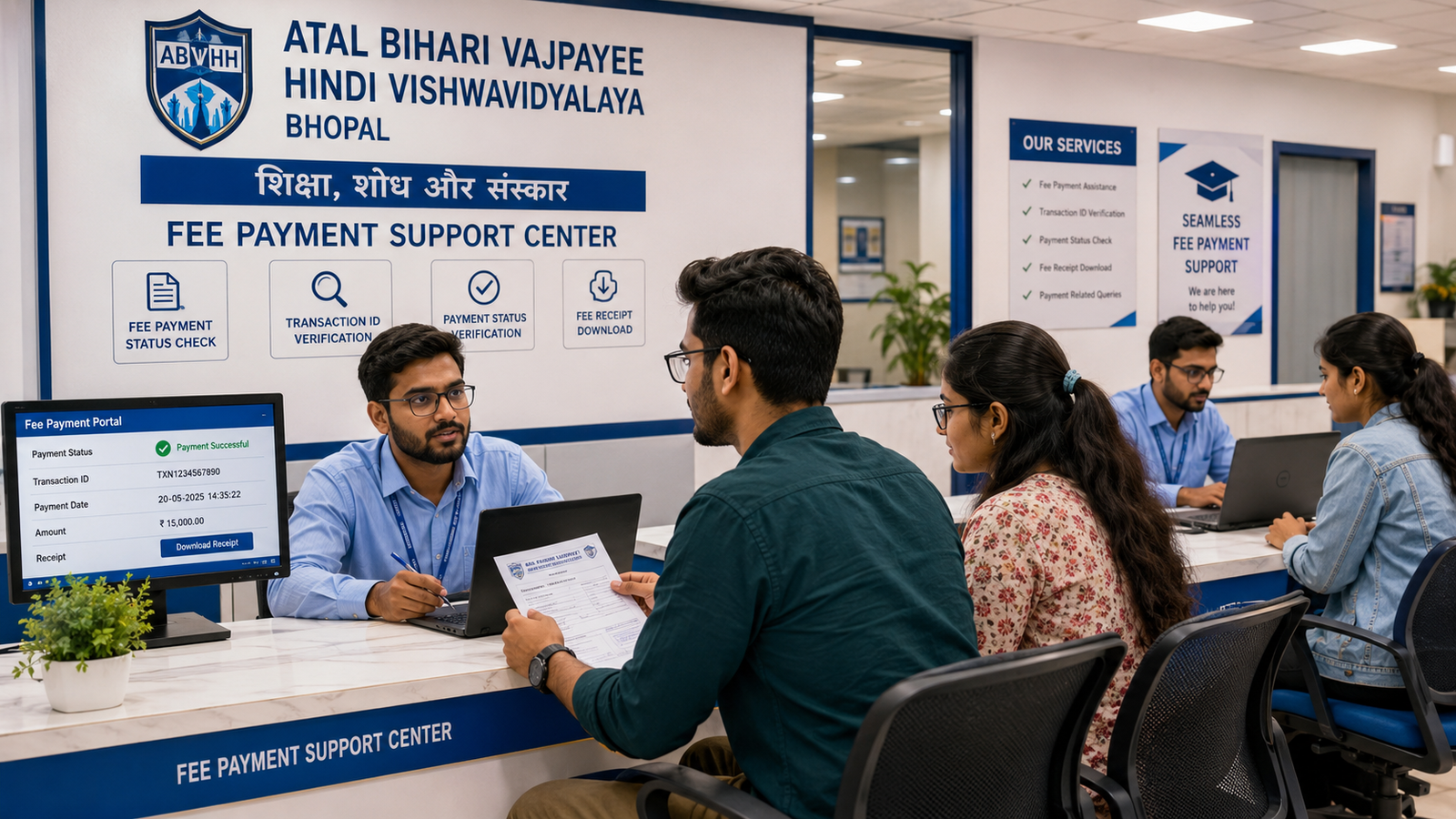
Atal Bihari Vajpayee Hindi Vishwavidyalaya Diploma and PG Diploma Mobile Number and Email Correction 2026
Diploma या PG Diploma programme में admission लेते समय student का active mobile number और correct email ID दर्ज होना बहुत जरूरी है।
Admission confirmation, payment receipt, enrollment status, examination form, admit card, result update, marksheet information, certificate communication और courier-related message जैसे कई academic updates registered mobile number या email ID पर भेजे जा सकते हैं।
अगर admission form में wrong mobile number भर दिया गया है, पुरानी SIM बंद हो गई है, number किसी दूसरे व्यक्ति का है, email ID की spelling गलत है, email account access नहीं हो रहा या OTP student तक नहीं पहुंच रहा, तो login और academic communication में problem हो सकती है।
इसी कारण students Atal Bihari Vajpayee Hindi Vishwavidyalaya Diploma and PG Diploma Mobile Number and Email Correction 2026 के बारे में student-login recovery, OTP verification, enrollment contact update, examination communication और result-alert correction की जानकारी search करते हैं।
Students के common questions होते हैं:
- Registered mobile number कैसे change करें?
- पुरानी SIM बंद हो गई हो तो नया number कैसे update होगा?
- किसी agent या family member का number registration में लगा हो तो क्या करें?
- OTP नहीं आ रहा तो student login कैसे खोलें?
- Email ID की spelling गलत हो तो correction कैसे होगी?
- Forgotten email password होने पर नया email update कर सकते हैं क्या?
- Mobile number और email correction के लिए कौन-से documents चाहिए?
- Enrollment record update होने के बाद exam form में contact details automatically बदलेंगी क्या?
- Result और marksheet communication नए mobile पर आएगा क्या?
- Duplicate mobile number के कारण login problem कैसे solve करें?
- Correction request status कैसे check करें?
- Mobile number correction में fraud से कैसे बचें?
Atal Bihari Vajpayee Hindi Vishwavidyalaya, Bhopal से संबंधित किसी Diploma या PG Diploma student के mobile-number और email-ID correction की exact प्रक्रिया current student record, login system, academic session, examination stage और applicable rules पर depend कर सकती है।
इसलिए नीचे दी गई information general academic guidance है। Exact portal, OTP process, document requirement, correction fee और processing timeline verified academic source से confirm करना जरूरी है।
Mobile Number and Email Correction क्या है?
Mobile number and email correction वह process हो सकती है जिसमें student के admission, enrollment या academic communication record में दर्ज गलत, inactive या inaccessible contact details को verified new details से update किया जाता है।
Possible correction categories:
- Wrong mobile number
- Inactive mobile number
- Lost SIM
- Number permanently बंद
- Number belongs to another person
- Duplicate mobile number
- Agent number registered
- Parent number registered
- Wrong email ID
- Email spelling mistake
- Inactive email account
- Forgotten email password
- Duplicate email
- Student-login recovery
- OTP verification problem
- Enrollment contact update
- Exam-form contact update
- Result-alert update
Correct Mobile Number क्यों Important है?
Registered mobile number possible रूप से इन processes में use हो सकता है:
- Admission acknowledgement
- Payment confirmation
- Enrollment update
- Student-login OTP
- Password reset
- Examination-form notification
- Admit-card alert
- Result update
- Marksheet communication
- Certificate status
- Books courier call
- Document correction follow-up
- Fee reminder
- Academic support communication
Inactive या wrong number के कारण student important updates miss कर सकता है।
Correct Email ID क्यों Important है?
Email पर possible records भेजे जा सकते हैं:
- Admission confirmation
- Payment receipt
- Enrollment acknowledgement
- Student-login link
- Password-reset link
- Exam-form confirmation
- Admit-card information
- Result communication
- Marksheet or certificate status
- Correction acknowledgement
- Digital study material
- Courier or dispatch information
Email ID long-term academic record के लिए useful होती है क्योंकि student कई years बाद भी documents search कर सकता है।
Mobile Number Correction और Login Recovery में Difference
Mobile Number Correction
Student record में old or wrong number को new number से replace करना।
Login Recovery
Existing account में access restore करना।
Login recovery के लिए mobile-number update, email verification, identity check या password reset required हो सकता है।
Email Correction और Email Password Recovery में Difference
Email Correction
Academic record में गलत email ID को correct करना।
Email Password Recovery
Email provider के माध्यम से existing email account access वापस पाना।
अगर email ID सही है लेकिन password भूल गए हैं, तो पहले email account recovery useful हो सकती है। Academic record में नई email ID update करना तभी करें जब जरूरी और permitted हो।
Correction कब करानी चाहिए?
Contact details error मिलते ही correction request देना बेहतर है।
Ideal stages:
- Admission form final submit करने से पहले
- Admission acknowledgement मिलने के बाद
- Enrollment number generate होने से पहले
- Enrollment slip मिलने के बाद
- Exam form open होने से पहले
- Admit card जारी होने से पहले
- Result declaration से पहले
- Marksheet and certificate communication से पहले
Mobile and Email Verification Checklist
Check करें:
- Mobile number 10 digits complete है
- Number active है
- Student के control में है
- OTP receive हो रहा है
- Number किसी unknown person का नहीं है
- Email ID spelling correct है
- Email account accessible है
- Password student के पास है
- Recovery mobile and email configured हैं
- Spam folder check किया जा सकता है
- Student login में same details linked हैं
- Admission, enrollment और exam records में contact details consistent हैं
Diploma Mobile and Email Correction 2026
Diploma students को contact update की जरूरत इन records के लिए हो सकती है:
- Admission form
- Enrollment profile
- Student ID record
- Examination form
- Admit card communication
- Result alert
- Study material dispatch
- Marksheet or certificate communication
Possible Diploma programmes:
- Diploma in First Aid Treatment
- Diploma in Basic Health Care
- Diploma in Hospital Management
- Diploma in Natural Pharmacy
- Diploma in Naturopathy and Yoga
- Diploma in Sports Injury Management
- Diploma in Fire Safety
- Diploma in Industrial Safety
Exact programme availability current session से verify करें।
PG Diploma Mobile and Email Correction 2026
PG Diploma student के contact details इन processes से linked हो सकती हैं:
- Graduation-document verification
- PG admission confirmation
- Enrollment record
- Project communication
- Examination form
- Result update
- Marksheet and certificate dispatch
Possible PG Diploma programmes:
- PG Diploma in Basic Health Care
- PG Diploma in Hospital Management
- PG Diploma in Sports Injury Management
- PG Diploma in Disaster Management
- PG Diploma in Industrial Safety
- PG Diploma in Dietetics and Public Health Nutrition
Common Mobile Number Errors
Wrong Digit Entered
एक digit गलत होने से OTP किसी दूसरे number पर जा सकता है।
Number Incomplete
10 digits से कम या country-code related error।
Old Number Registered
Student अब उस SIM का use नहीं करता।
Lost SIM
SIM खो गई और replacement नहीं लिया गया।
Number बंद हो गया
Long inactivity or service issue के कारण number inactive है।
Agent Number Registered
Admission agent का number student record में save है।
Parent or Relative Number Registered
Student का own number available होने के बावजूद family member का number use हुआ।
Number Belongs to Another Person
गलत typing से unrelated person का number record में आ गया।
Duplicate Number
एक ही mobile number कई students के records में use हुआ।
Recycled Mobile Number
पुराना number telecom provider द्वारा किसी अन्य व्यक्ति को allot हो गया।
Common Email Errors
Spelling Mistake
Example:
student@gmial.com instead of student@gmail.com
Missing Character
Username या domain में letter missing।
Wrong Domain
gmail.co instead of gmail.com
Inactive Email
Student account use नहीं करता।
Forgotten Password
Email accessible नहीं है।
Agent Email Registered
Admission consultant की email student record में है।
Duplicate Email
एक email कई students के लिए use हुई।
Temporary Email
Short-term या disposable email use हुई।
Full Inbox
Storage full होने से email receive नहीं हो रही।
Mobile Number किसका होना चाहिए?
Best practice के रूप में student का own active mobile number use करना बेहतर है।
Student के पास personal number न हो तो trusted parent or guardian number temporary रूप से use किया जा सकता है, subject to current process।
लेकिन student को यह clear होना चाहिए कि OTP और academic updates उसी number पर आएंगे।
Agent का Mobile Number Use करने का Risk
Possible risks:
- OTP student तक नहीं पहुंचेगा
- Login control agent के पास रहेगा
- Password reset student नहीं कर पाएगा
- Payment or result updates miss हो सकते हैं
- Future contact बंद हो सकता है
- Privacy issue हो सकता है
Student record में long-term personal contact details better होती हैं।
Personal Email क्यों बनानी चाहिए?
Student को personal academic email बनाना useful हो सकता है।
Example format:
studentfullname.year@gmail.com
Avoid:
- Shared cyber-cafe email
- Agent email
- Temporary email
- Difficult random spelling
- Offensive username
- Password किसी और के पास रखना
Mobile Number Correction के लिए Possible Documents
General records:
- Written correction application
- Admission form
- Admission acknowledgement
- Enrollment slip
- Application number
- Enrollment number
- Student identity proof
- 10th marksheet
- Old mobile number
- New mobile number
- New-number ownership proof, if required
- Recent payment receipt
- Student photograph
- Signature
- Correction acknowledgement
- Applicable fee receipt, if any
Email Correction के लिए Possible Documents
Possible records:
- Written correction application
- Admission form
- Enrollment slip
- Identity proof
- Application number
- Enrollment number
- Old email ID
- New email ID
- New email verification screenshot, if required
- OTP verification
- Student signature
- Correction-fee receipt, if applicable
Correction Application कैसे लिखें?
Application में include करें:
- Student full name
- Application number
- Enrollment number
- Course title
- Diploma or PG Diploma level
- Academic session
- Old mobile number
- New mobile number
- Old email ID
- New email ID
- Correction reason
- Supporting documents
- Mobile number
- Date
- Student signature
Old और New Details कैसे लिखें?
Example:
Old Mobile Number: 98XXXXXX10
New Mobile Number: 97XXXXXX25
Old Email ID: student@gmial.com
New Email ID: student@gmail.com
Public application copy share करते समय number partially mask कर सकते हैं।
Correction Reason कैसे लिखें?
Possible reasons:
- Old SIM lost
- Old number inactive
- Wrong digit entered
- Number belongs to another person
- Agent number entered by mistake
- Email spelling error
- Old email inaccessible
- Forgotten password
- Duplicate contact record
- Student login not accessible
Application में क्या Avoid करें?
- Full details unclear रखना
- Old and new number mix करना
- Wrong enrollment number
- Course and session missing
- New email spelling recheck न करना
- OTP publicly share करना
- Password application में लिखना
- UPI PIN देना
- Unsigned application
- Unknown person की identity proof attach करना
Admission Form में Wrong Mobile Number
अगर admission form final submit होने से पहले edit option available है, तो correct number update करें।
Final submission के बाद possible steps:
- Incorrect form copy save करें
- Correct number verify करें
- Identity proof तैयार करें
- Written correction request submit करें
- OTP verification complete करें
- Updated admission record check करें
Enrollment Record में Wrong Mobile Number
Enrollment complete होने के बाद mobile correction student master record update हो सकती है।
Check करें:
- Admission record updated है
- Enrollment profile updated है
- Student login updated है
- Exam-form communication updated है
- Result alert updated है
एक record update होने का मतलब सभी linked records automatically update हो गए, यह जरूरी नहीं है।
Enrollment Slip पर Mobile Number Printed नहीं है
हर enrollment slip पर mobile या email दिखाई दे, यह जरूरी नहीं है।
फिर भी backend student record में details correct होना important हो सकता है।
Wrong Email Enrollment Record में
Email spelling mistake होने पर correction जल्दी करें क्योंकि password-reset और academic communication प्रभावित हो सकते हैं।
OTP क्या है?
OTP यानी One-Time Password identity or login verification के लिए temporary code हो सकता है।
OTP:
- Limited time valid हो सकता है
- केवल student use करे
- किसी unknown व्यक्ति को share न करें
- Password या UPI PIN नहीं है
- Academic login verification में use हो सकता है
OTP नहीं आ रहा तो क्या करें?
Possible steps:
- Mobile network check करें
- Correct number verify करें
- Airplane mode off करें
- SMS inbox space check करें
- Spam or blocked SMS settings check करें
- कुछ समय बाद resend करें
- Multiple rapid requests avoid करें
- Registered number active है या नहीं check करें
- Verified support से contact record verify कराएं
Email OTP नहीं आ रहा
Check करें:
- Email spelling
- Inbox
- Spam folder
- Promotions or Updates tab
- Storage full है या नहीं
- Sender blocked तो नहीं
- Email account active है
- Resend option
- Correct email record
OTP किसी दूसरे Person के पास जा रहा
यह serious contact-record issue है।
Immediately request करें:
- Old number disable or unlink
- New number identity verification
- Password reset
- Active sessions logout, if available
- Contact correction acknowledgement
OTP Share करने का Risk
OTP share करने से unknown person:
- Student login access कर सकता है
- Password reset कर सकता है
- Personal data देख सकता है
- Academic record misuse कर सकता है
OTP केवल verified process में student स्वयं enter करे।
Student Login Recovery
Possible login-recovery methods:
- Registered mobile OTP
- Registered email link
- Application number
- Enrollment number
- Date of birth
- Identity verification
- Help-desk request
Exact method current system पर depend करेगा।
Password भूल गए हों तो
Possible steps:
- Forgot Password select करें
- Registered mobile or email enter करें
- OTP or reset link प्राप्त करें
- Strong new password बनाएं
- Login verify करें
- Password किसी agent को न दें
Strong Password कैसे रखें?
Use करें:
- Uppercase and lowercase letters
- Numbers
- Special characters
- Unique password
- Personal note or password manager
Avoid:
- 123456
- Student name only
- Date of birth only
- Mobile number
- Same password everywhere
- Agent-created shared password
Mobile Number Change के बाद Login
New number update approve होने के बाद:
- Login test करें
- OTP new number पर आ रहा है या नहीं check करें
- Old number से access बंद हुआ या नहीं verify करें
- Email recovery option check करें
- Password update करें, if required
Email Change के बाद Login
Verify करें:
- Confirmation email received
- New email active है
- Password-reset link new email पर आ रहा है
- Old email unlink हुआ या नहीं
- Student profile में correct spelling है
Duplicate Mobile Number Issue
एक ही number multiple students में होने से possible problems:
- Wrong OTP mapping
- Login confusion
- Result alert mix-up
- Password-reset issue
- Student profile mismatch
हर student के लिए unique personal number बेहतर है, subject to system capability।
Family में One Mobile Number
कई family members same number use करते हों तो current portal policy verify करें।
अगर unique number required है, separate number update करना पड़ सकता है।
Duplicate Email Issue
One email multiple students के लिए use होने से academic communications mix हो सकती हैं।
Separate personal email better है।
SIM Lost हो गई
Possible options:
- Telecom provider से duplicate SIM लें
- Number permanently unavailable हो तो correction request दें
- Student identity verify करें
- Old number से linked login secure करें
- Password reset करें
Recycled Number का Risk
Inactive number किसी new person को allot हो सकता है।
इसलिए old inactive number academic record में लंबे समय तक न रखें।
Mobile Number Porting
SIM port होने पर number same रहता है, इसलिए academic record update generally required नहीं हो सकती।
लेकिन OTP issue हो तो network transition complete होने तक wait या verified support guidance लें।
New Number Update Before Exam Form
Exam form open होने से पहले number update करना useful है ताकि:
- OTP मिले
- Form confirmation मिले
- Payment update मिले
- Admit-card alert मिले
Exam Form में Wrong Mobile Number
Possible steps:
- Enrollment contact record verify करें
- Exam-form correction request दें
- New number submit करें
- OTP verification complete करें
- Form preview recheck करें
- Acknowledgement save करें
Exam Form में Wrong Email
Correct email update के बाद exam-form confirmation दोबारा receive हो सकती है, subject to system process।
Admit Card Mobile पर नहीं आया
Admit card हमेशा SMS या email से ही मिलेगा, यह जरूरी नहीं है।
Possible checks:
- Student portal
- Verified download page
- Exam-form status
- Registered mobile
- Email spam folder
- Academic support
Result SMS नहीं आया
Result SMS न आने का मतलब result unavailable है, यह जरूरी नहीं है।
Result official or verified result process से check करें।
Result Wrong Mobile से Linked
Student master record correction की जरूरत हो सकती है।
Result marks and academic identity enrollment number से अधिक strongly linked हो सकते हैं, लेकिन contact details communication के लिए important हैं।
Marksheet Communication
Marksheet dispatch या collection update registered mobile पर आ सकती है।
Correct number रखें।
Certificate Communication
Certificate status, no-dues, dispatch or collection communication mobile/email से हो सकती है।
Books Courier Update
Books courier के लिए:
- Active mobile number
- Complete address
- Pincode
- Receiver name
important हैं।
Wrong number से courier delivery fail हो सकती है।
Address and Mobile Link
Address correction और mobile correction अलग processes हो सकती हैं।
Courier record भी separately update कराना पड़ सकता है।
Payment Receipt Email Update
Old email पर payment receipt गई हो तो:
- Existing receipt save करें
- New email academic record में update करें
- Duplicate receipt request, if available
- Transaction reference सुरक्षित रखें
Mobile Correction Fee
Contact-detail correction के लिए fee लगेगी या नहीं, current process पर depend करेगा।
Possible charges:
- Profile-correction fee
- Login-recovery service fee
- Document reprint fee
- Exam-form correction fee
- Courier-related reissue charge
Payment से पहले official purpose and receipt verify करें।
Correction Fee Receipt
Receipt में check करें:
- Student name
- Application number
- Enrollment number
- Correction purpose
- Amount
- Date
- Transaction reference
- Receipt number
Correction Status के Common Types
Request Received
Application successfully received हुई।
Identity Verification Pending
Student identity check हो रही है।
OTP Verification Required
New mobile or email verify करनी है।
Additional Proof Required
More supporting document चाहिए।
Mobile Number Updated
New number record में save हो गया।
Email ID Updated
New email record में save हो गई।
Student Login Restored
Account access active हो गया।
Enrollment Record Updated
Contact details student profile में update हुईं।
Exam Communication Updated
Examination alerts new contact पर mapped हैं।
Request Rejected
Correction approve नहीं हुई।
Correction Pending क्यों रह सकती है?
Possible reasons:
- Identity proof missing
- Application unsigned
- Enrollment number wrong
- New number already linked to another student
- New email duplicate है
- OTP verification incomplete
- Old record mismatch
- Course or session unclear
- Exam form already finalized
- Multiple conflicting requests
- Applicable fee pending
- Technical processing delay
Additional Proof Required
Possible additional records:
- 10th marksheet
- Aadhaar or accepted ID
- Enrollment slip
- Payment receipt
- Student photograph
- Signature
- New mobile ownership proof, if required
- Email verification screenshot
- Written declaration
Correction Rejected क्यों हो सकती है?
Possible reasons:
- Student identity verify नहीं हुई
- New number किसी अन्य record से linked है
- Invalid email ID
- Application incomplete
- OTP verification नहीं हुई
- Wrong enrollment number
- Request unknown third party से आई
- Fake or edited identity proof
- Conflicting correction requests
- Applicable policy restriction
Rejection होने पर क्या करें?
- Written reason लें
- Correct identity proof submit करें
- New number and email recheck करें
- Duplicate contact issue resolve करें
- Re-application process पूछें
- Unknown agent को OTP or password न दें
Mobile and Email Correction Processing Timeline
Exact timeline depend कर सकती है:
- Identity verification
- OTP verification
- Enrollment stage
- Examination stage
- Duplicate-contact issue
- Student-login system
- Applicable fee
- Technical processing
Fixed completion date guarantee नहीं की जा सकती।
Correction जल्दी कराने के Practical Tips
- Old and new details clearly लिखें
- New mobile active रखें
- New email पहले login करके verify करें
- Application and enrollment numbers दें
- Course and session mention करें
- Identity proof attach करें
- OTP स्वयं enter करें
- Acknowledgement save करें
- Login test करें
- Enrollment and exam record recheck करें
Correction Follow-Up Message में क्या लिखें?
Useful details:
- Student full name
- Application number
- Enrollment number
- Course title
- Academic session
- Old masked mobile
- New masked mobile
- Old email
- New email
- Correction request date
- Acknowledgement number
- Current status
Sensitive Details Mask कैसे करें?
Public communication में:
- Mobile:
98XXXXXX10 - Email:
stu***@gmail.com - Enrollment: Partial masking
Verified private submission में complete details required हो सकती हैं।
Updated Record कैसे Verify करें?
Correction approve होने के बाद check करें:
- Student profile
- Admission record
- Enrollment profile
- Student login
- Password-reset method
- Exam-form profile
- Result communication
- Courier contact record
Old Number Remove हुआ या नहीं
Old number से OTP या login still active हो तो verified support से unlink status पूछें।
Email Update हुआ लेकिन SMS Old Number पर आ रहा
Different systems में separate contact databases हो सकती हैं।
Admission, enrollment, examination और courier contact records separately update करने पड़ सकते हैं।
Mobile Updated लेकिन Email Old है
दोनों fields independent हो सकती हैं।
Final profile में both details verify करें।
Multiple Academic Records में Contact Correction
Possible order:
- Admission or student master profile
- Enrollment record
- Student login
- Examination form
- Result notification
- Marksheet/certificate communication
- Courier record
केवल Student Login Update पर्याप्त है क्या?
Login update होने का मतलब academic master record भी update हुआ, यह जरूरी नहीं है।
Enrollment और examination communication separately verify करें।
केवल Enrollment Mobile Update पर्याप्त है क्या?
Exam-form portal different contact record use कर सकता है।
Final verification जरूरी है।
Result और Certificate Update
Contact correction academic marks or certificate content generally नहीं बदलती, लेकिन communication और access improve कर सकती है।
Old Email का Data Save करें
पुरानी email accessible हो तो:
- Payment receipts
- Admission messages
- Enrollment acknowledgement
- Exam confirmation
- Result communication
download करके backup रखें।
Email Backup Folder
Create folders:
- Admission
- Payment
- Enrollment
- Examination
- Result
- Marksheet
- Certificate
- Corrections
Student Login Security
Correction के बाद:
- Password बदलें
- Unknown devices logout करें, if available
- Recovery email update करें
- OTP किसी को न दें
- Screenshot में password न दिखाएं
- Cyber-cafe में login के बाद logout करें
Public Computer Use करते समय
- Save password option off रखें
- Browser history and downloads check करें
- Logout करें
- OTP delete करें
- Personal files remove करें
- Incognito useful हो सकता है, but full security guarantee नहीं
Cyber-Cafe Email Risk
Cyber-cafe operator को:
- Password
- OTP
- Recovery code
- Full student login
न दें।
Student स्वयं credentials enter करे।
WhatsApp पर OTP Share न करें
कोई legitimate process OTP verbally या WhatsApp पर मांग रहा हो तो सावधान रहें।
Student स्वयं verified page पर OTP enter करे।
Screen-Sharing App से सावधान रहें
Unknown person के कहने पर screen-sharing app install न करें।
वे:
- OTP देख सकते हैं
- Password capture कर सकते हैं
- Banking information देख सकते हैं
- Student records access कर सकते हैं
Fake Mobile Update Claims
Red flags:
- “OTP मुझे भेजो”
- “Password बता दो”
- “Personal UPI पर correction fee”
- “Screen share करो”
- “Agent number रहने दो”
- “Student login की जरूरत नहीं”
- “Same-day guaranteed update”
- “Bank OTP भी देना होगा”
- “Government job update हो जाएगा”
Email Phishing से सावधान रहें
Suspicious email signs:
- Unknown sender
- Urgent password demand
- Unusual attachment
- OTP request
- Payment link without verification
- Spelling errors
- Fake logo
- Login credentials मांगना
Student Data Safety
Publicly share न करें:
- Full mobile number
- Complete email password
- OTP
- Student-login password
- Aadhaar number
- Date of birth
- Full enrollment number
- Bank details
- UPI PIN
- Recovery code
- Signature file
WhatsApp पर Documents भेजते समय
- Verified contact use करें
- Public groups avoid करें
- Purpose clearly लिखें
- Mobile and email carefully type करें
- OTP share न करें
- Password share न करें
- Original records सुरक्षित रखें
Mobile and Email Correction Record Folder
Digital folder बनाएं:
Mobile Email Correction 2026
इसके अंदर:
- Admission form
- Enrollment slip
- Identity proof
- Correction application
- Old contact screenshot
- New email verification
- Payment receipt
- Acknowledgement
- Status screenshots
- Updated student profile
- Updated exam form
- Login-recovery confirmation
- Result or certificate communication
Mobile and Email Correction Final Checklist
Correction से पहले
- Old mobile identified
- New mobile active है
- Old email identified
- New email accessible है
- OTP receive हो रहा है
- Student identity proof ready है
- Application number available है
- Enrollment number available है
- Course and session verified हैं
Application Submit करते समय
- Student name included
- Application number included
- Enrollment number included
- Old and new mobile clearly written
- Old and new email clearly written
- Correction reason included
- Supporting documents attached
- Signature and date included
- OTP स्वयं verify किया
- Acknowledgement received
Correction Approve होने के बाद
- New mobile profile में visible है
- New email spelling correct है
- Student login works
- OTP new contact पर आता है
- Old contact access checked
- Enrollment record verified
- Exam-form contact verified
- Result communication checked
- Courier contact updated
- Records backed up
Common Student Queries
Students अक्सर इन questions के बारे में search करते हैं:
- Atal Bihari Vajpayee Hindi Vishwavidyalaya Diploma and PG Diploma Mobile Number and Email Correction 2026 कैसे करें?
- Registered mobile number कैसे change करें?
- Old SIM lost हो गई हो तो क्या करें?
- Inactive mobile number update कैसे होगा?
- Agent का number registration में लगा हो तो कैसे हटाएं?
- Parent mobile की जगह student number कैसे update करें?
- Duplicate mobile number problem कैसे solve करें?
- OTP नहीं आ रहा तो क्या करें?
- OTP another person को जा रहा हो तो क्या करें?
- Student login recover कैसे करें?
- Password भूल गए हों तो login कैसे खोलें?
- Registered email spelling गलत हो तो correction कैसे करें?
- Old email inaccessible हो तो new email update कर सकते हैं क्या?
- Email OTP नहीं आ रहा तो क्या करें?
- Mobile and email correction के लिए कौन-से documents चाहिए?
- Correction application कैसे लिखें?
- Correction fee लग सकती है क्या?
- Correction status कैसे check करें?
- Mobile update pending क्यों है?
- Email correction reject क्यों होती है?
- Enrollment record update होने के बाद exam form automatically update होगा क्या?
- Admit-card alert new number पर आएगा क्या?
- Result SMS नहीं आए तो result कैसे check करें?
- Marksheet and certificate communication new email पर आएगी क्या?
- Courier mobile number separately update करना होगा क्या?
- OTP किसी agent को देना safe है क्या?
- Student-login password share करना safe है क्या?
- Fake mobile-number correction service कैसे पहचानें?
- Contact correction से professional registration मिलता है क्या?
Important Search Keywords
- Atal Bihari Vajpayee Hindi Vishwavidyalaya Diploma and PG Diploma Mobile Number and Email Correction 2026
- Atal Bihari Vajpayee Hindi Vishwavidyalaya Mobile Number Update
- Diploma PG Diploma Email ID Correction 2026
- Student Login OTP Enrollment Exam Result Update
Useful Guidance Websites
Diploma और PG Diploma admission, enrollment, examination, result, marksheet और certificate guidance:
Healthcare, hospital management, nutrition, wellness, sports, disaster management और industrial-safety programme guidance:
Mobile number या email correction request submit करने से पहले student identity, old and new contact details, course title, academic session, enrollment number और current update process verify करना जरूरी है।
Mobile Number and Email Correction Guidance के लिए Contact
अगर आप Atal Bihari Vajpayee Hindi Vishwavidyalaya Diploma and PG Diploma Mobile Number and Email Correction 2026 के बारे में student login, OTP, enrollment, exam form, result communication या contact-record update guidance चाहते हैं, तो admission help desk से संपर्क कर सकते हैं।
Guidance में आपको निम्न information मिल सकती है:
- Wrong mobile-number correction
- Inactive-number update
- Lost-SIM guidance
- Agent-number removal guidance
- Duplicate-mobile issue guidance
- Wrong-email correction
- Email-spelling correction
- Student-login recovery
- Password-reset guidance
- OTP-not-received guidance
- Enrollment-contact update
- Exam-form contact update
- Result-alert update
- Courier-contact update
- Correction-status guidance
- Student-data safety guidance
Mobile or email correction approval, student-login recovery, OTP delivery, processing date, examination notification, result alert, marksheet or certificate communication, professional registration, government job या private employment की guarantee नहीं दी जा सकती।
Final correction status student identity verification, existing contact record, enrollment status, examination stage, OTP verification और applicable academic process पर depend करेगा।
Conclusion
Atal Bihari Vajpayee Hindi Vishwavidyalaya Diploma and PG Diploma Mobile Number and Email Correction 2026 student login और academic communication को सुरक्षित तथा accessible रखने का important process हो सकता है।
Admission form submit करते समय student का own active mobile number और accessible personal email ID देना बेहतर है।
Wrong number, inactive SIM, agent contact, email spelling error या OTP problem मिलने पर admission, enrollment और examination stages से पहले correction request submit करें।
Correction application में old and new contact details clearly लिखें तथा student identity, application number, enrollment number, course और academic session mention करें।
OTP, password, recovery code, UPI PIN या banking credentials किसी agent या unknown person के साथ share न करें।
Correction approve होने के बाद student login, OTP, enrollment profile, examination form, result communication और courier contact details दोबारा verify करें।
Correction application, identity proof, acknowledgement, status screenshots और updated student profile की digital copies सुरक्षित रखना बेहतर है।
Mobile-number और email correction को academic qualification change, professional registration, independent practice permission, government-job eligibility या employment guarantee के समान नहीं समझना चाहिए।