
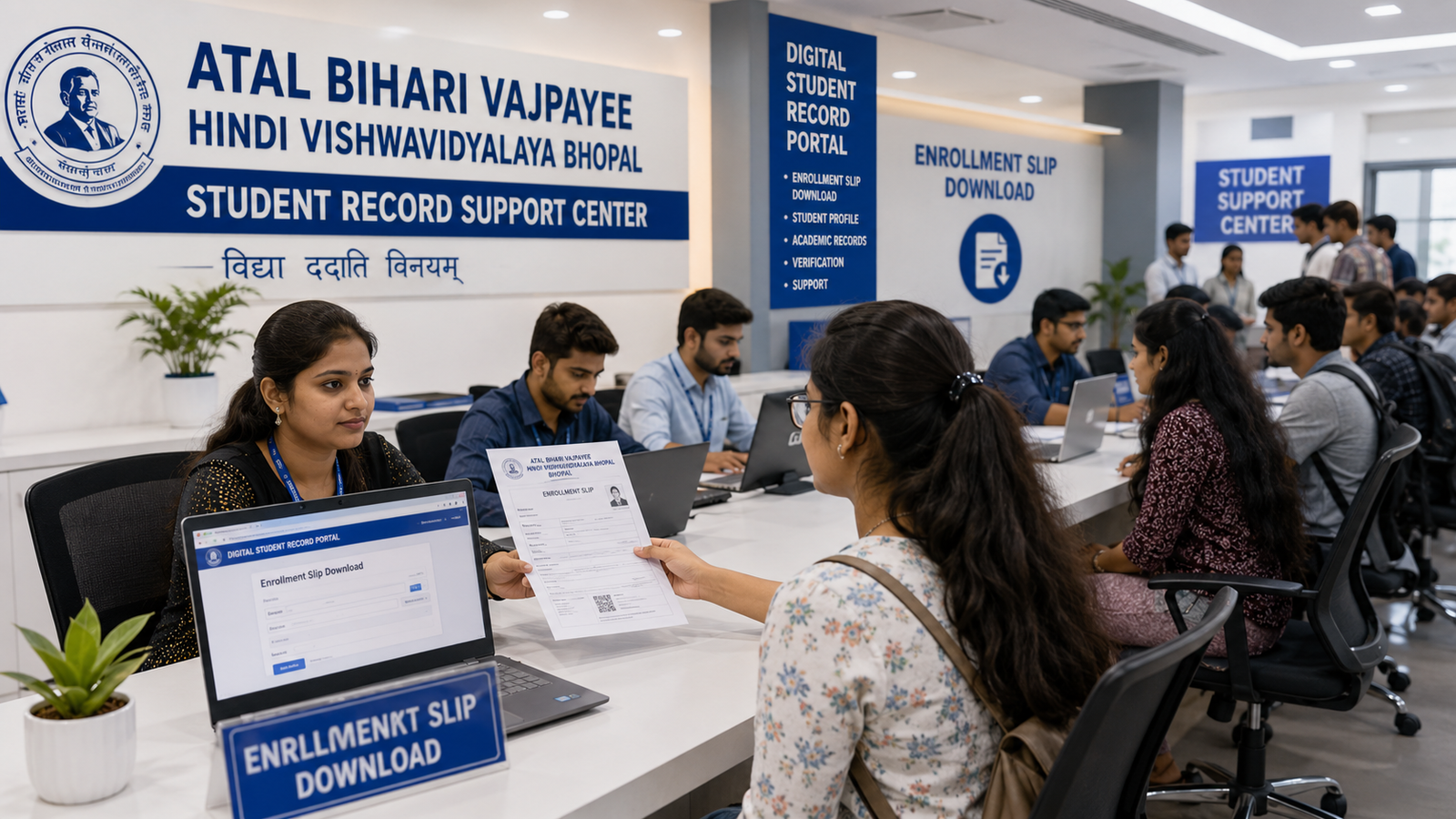
Atal Bihari Vajpayee Hindi Vishwavidyalaya Exam Form Status 2026
Diploma और PG Diploma examination form भरने के बाद students के लिए केवल fee payment करना पर्याप्त नहीं होता। Student को यह भी verify करना चाहिए कि उसका exam form draft में है, final submit हुआ है, payment successful है, verification pending है, correction required है, form approved है या rejected हो गया है।
इसी कारण students Atal Bihari Vajpayee Hindi Vishwavidyalaya Exam Form Status 2026 में submitted, payment pending, under verification, correction required, rejected, approved और admit-card status से जुड़ी जानकारी search करते हैं।
कई students payment करने के बाद exam form status check नहीं करते। बाद में admit card release होने पर पता चलता है कि:
- Exam form final submit नहीं हुआ
- Payment pending दिख रही है
- Transaction record map नहीं हुआ
- Subject selection incomplete है
- Photograph या signature missing है
- Enrollment number mismatch है
- Document objection pending है
- Exam form rejected हो गया है
- Admit card generate नहीं हुआ
Exam form status में problem होने से examination process, roll number, admit card, attendance, result और marksheet प्रभावित हो सकते हैं।
इस detailed guide में आपको exam-form status check, submitted और draft difference, payment pending, failed transaction, correction required, rejected form, approved status, admit-card generation और supporting documents की जानकारी आसान भाषा में मिलेगी।
Exam Form Status 2026 क्या है?
Exam form status student के examination application की current processing stage दिखा सकता है।
Possible statuses:
- Registration started
- Draft saved
- Form incomplete
- Form submitted
- Payment pending
- Payment failed
- Payment successful
- Payment under verification
- Documents under verification
- Document objection
- Subject correction required
- Photograph correction required
- Signature correction required
- Enrollment mismatch
- Exam form approved
- Exam form rejected
- Roll number pending
- Admit card pending
- Admit card generated
Exact wording current examination system के अनुसार अलग हो सकती है।
Exam Form Status Check करना क्यों जरूरी है?
Status check करने से student को पता चलता है कि उसका form examination processing के लिए accepted हुआ है या अभी कोई काम बाकी है।
Status check न करने पर possible problems:
- Form draft में रह जाना
- Final submission miss होना
- Payment successful होने के बाद भी pending दिखना
- Document objection का समय पर जवाब न देना
- Subject correction deadline निकल जाना
- Admit card generate न होना
- Examination miss होना
- Result pending होना
- Fee दोबारा जमा कर देना
- Duplicate exam form बन जाना
Exam Form Status और Admit Card का Connection
Exam form generally approved होने के बाद roll-number और admit-card process आगे बढ़ सकती है।
Simple process:
Enrollment Verified
↓
Exam Form Filled
↓
Subjects Selected
↓
Exam Fee Paid
↓
Final Submission
↓
Form Verification
↓
Exam Form Approved
↓
Roll Number Generated
↓
Admit Card Available
Form pending या rejected होने पर admit card generate न हो सकता है।
Exam Form Status कैसे Check करें?
General process:
- Authorized examination portal या student section open करें।
- Student login करें।
- Enrollment number या application number enter करें।
- Course और session select करें।
- Examination category select करें।
- Exam-form section open करें।
- Current status देखें।
- Payment status check करें।
- Subject list verify करें।
- Correction या objection message पढ़ें।
- Status screenshot या PDF save करें।
- Required action समय पर complete करें।
Exact process current academic system के अनुसार अलग हो सकती है।
Status Check के लिए कौन-सी Details चाहिए?
Possible details:
- Enrollment number
- Application number
- Exam-form number
- Registered mobile number
- Date of birth
- Password
- OTP
- Course
- Session
- Examination category
- Captcha
Unknown website पर login credentials या personal data enter न करें।
Exam Form के Different Status का Meaning
1. Registration Started
इसका मतलब student ने examination process शुरू की हो सकती है, लेकिन form complete नहीं हुआ।
Student को check करना चाहिए:
- Personal details complete हैं
- Enrollment number सही है
- Course selected है
- Subjects selected हैं
- Photograph और signature available हैं
- Payment बाकी है या नहीं
2. Draft Saved
Draft saved का मतलब form की details temporarily save हुई हैं, लेकिन form final submit नहीं हुआ।
Draft form examination processing में automatically नहीं जा सकता।
Student को:
- Preview check करना
- Missing details भरना
- Fee verify करना
- Final submit button complete करना
जरूरी हो सकता है।
3. Form Incomplete
Possible reasons:
- Student details missing
- Subject selection incomplete
- Photograph missing
- Signature missing
- Enrollment number invalid
- Course or session not selected
- Declaration incomplete
- Required document not uploaded
Form incomplete रहते हुए payment या approval process रुक सकती है।
4. Form Submitted
Form submitted का मतलब exam form system में जमा हो चुका हो सकता है।
लेकिन इसके बाद भी check करें:
- Payment successful है
- Final submission status complete है
- Documents under verification तो नहीं
- Subject correction required तो नहीं
- Form approved हुआ है या नहीं
“Submitted” और “Approved” अलग statuses हो सकते हैं।
5. Payment Pending
Payment pending का मतलब examination fee का final confirmation system में नहीं आया हो सकता है।
Possible reasons:
- Payment शुरू नहीं किया
- Transaction incomplete
- Bank response pending
- Payment gateway delay
- Amount debit हुआ लेकिन mapping नहीं हुई
- Final submit pending
- Duplicate transaction issue
6. Payment Failed
Payment failed का मतलब transaction successful complete नहीं हुई।
Check करें:
- Amount debit हुआ या नहीं
- Bank status
- UPI status
- Transaction ID
- Receipt generated है या नहीं
- Portal status
- Retry option
Amount debit हो गया हो तो तुरंत duplicate payment न करें।
7. Payment Successful
Payment successful दिखाई देने पर भी verify करें:
- Student name
- Enrollment number
- Course
- Session
- Examination category
- Subject count
- Paid amount
- Transaction ID
- Receipt number
- Final submission
Payment successful लेकिन form draft में हो तो process complete नहीं मानी जा सकती।
8. Payment Under Verification
इसका मतलब payment system में दिखाई दे रही है लेकिन final confirmation pending हो सकता है।
Student को:
- Transaction proof सुरक्षित रखना
- Payment receipt check करना
- Status update का wait करना
- Duplicate payment से बचना
- जरूरत होने पर written support request देना
चाहिए।
9. Documents Under Verification
इस status में submitted academic information check की जा सकती है।
Possible verification:
- Enrollment number
- Student name
- Course
- Session
- Eligibility
- Previous result
- Back-paper subject
- Photograph
- Signature
- Payment record
10. Document Objection
Document objection के possible reasons:
- Blurred enrollment slip
- Wrong student document
- Name mismatch
- Enrollment number mismatch
- Course mismatch
- Previous result missing
- Back-paper eligibility unclear
- Photograph incorrect
- Signature missing
- Fee receipt unreadable
Objection text carefully पढ़कर correct document deadline के अंदर submit करें।
11. Correction Required
Correction required status का मतलब form की किसी detail में error identify हुआ हो सकता है।
Possible corrections:
- Student name
- Enrollment number
- Course
- Session
- Examination category
- Subject
- Subject code
- Photograph
- Signature
- Mobile number
- Fee status
12. Exam Form Approved
Approved status का मतलब exam form examination processing के लिए accepted हो सकता है।
इसके बाद possible next steps:
- Roll-number generation
- Admit-card preparation
- Exam-centre allotment
- Subject mapping
- Attendance-list creation
Approved status के बाद भी admit card की details verify करना जरूरी है।
13. Exam Form Rejected
Rejected status का मतलब form accepted नहीं हुआ।
Possible reasons:
- Enrollment incomplete
- Wrong course
- Wrong session
- Student not eligible
- Invalid subject
- Payment pending
- Photograph missing
- Duplicate exam form
- Back-paper eligibility नहीं
- Last date निकल जाना
- Required record incomplete
- Course examination not mapped
- Student details mismatch
Exact rejection reason written form में पूछें।
14. Roll Number Pending
इसका मतलब form approved हो सकता है लेकिन examination roll number अभी generate न हुआ हो।
Possible reasons:
- Examination processing ongoing
- Centre allotment pending
- Subject verification pending
- Bulk roll-number generation pending
- Technical delay
15. Admit Card Pending
Form approved और roll number generated होने के बाद भी admit card release later हो सकता है।
Check करें:
- Exam schedule released है
- Centre allotment complete है
- Admit-card download active है
- Correction pending नहीं है
16. Admit Card Generated
Admit card generated होने के बाद तुरंत download करके check करें:
- Student name
- Enrollment number
- Roll number
- Course
- Session
- Subjects
- Exam date
- Time
- Exam centre
- Photograph
- Signature
Draft Saved और Submitted में Difference
Draft Saved
- Form temporarily saved
- Details editable हो सकती हैं
- Payment pending हो सकती है
- Examination processing शुरू नहीं हुई हो सकती
- Final submission बाकी हो सकता है
Submitted
- Form formally submit हो चुका हो सकता है
- Editing limited हो सकती है
- Payment और verification process आगे बढ़ सकती है
- Correction request अलग से करनी पड़ सकती है
Student को form PDF या acknowledgement देखकर final submission verify करना चाहिए।
Submitted और Approved में Difference
Submitted
Student ने form जमा कर दिया।
Approved
Form verification के बाद examination processing के लिए accepted हुआ।
Submitted status देखकर admit card guaranteed assume नहीं करना चाहिए।
Exam Form Payment Pending क्यों दिखती है?
Possible reasons:
- Fee जमा नहीं हुई
- UPI payment incomplete
- Bank transaction pending
- Portal update delay
- Payment gateway mapping error
- Wrong application reference
- Duplicate form
- Final submit नहीं किया
- Payment receipt generate नहीं हुई
- Session timeout
Payment Pending में सबसे पहले क्या करें?
Check करें:
- Bank से amount debit हुआ
- Transaction ID
- Payment date and time
- Portal status
- Receipt availability
- Exam-form number
- Enrollment number
- Course and session
Amount नहीं कटा हो
Verified process से payment दोबारा कर सकते हैं, लेकिन current status confirm करना बेहतर है।
Amount कट गया हो
तुरंत duplicate payment न करें।
Proof रखें:
- Bank statement
- UPI screenshot
- Transaction ID
- Exam-form number
- Enrollment number
- Payment-status screenshot
Payment Successful लेकिन Status Pending
Possible reasons:
- Portal synchronization delay
- Transaction mapping issue
- Final submit pending
- Wrong exam-form reference
- Bank confirmation delayed
- Technical issue
क्या करें?
- Receipt download करें।
- Transaction ID save करें।
- Exam form PDF check करें।
- Final-submission status देखें।
- कुछ समय बाद status recheck करें।
- Written support request दें, if needed।
- Duplicate payment न करें।
Exam Fee Receipt नहीं मिली तो क्या करें?
Check करें:
- Download section
- Payment history
- Registered email
- SMS
- Transaction details
- Form status
- Browser download folder
Receipt न मिले लेकिन amount debit हो तो proof सुरक्षित रखें।
Duplicate Payment हो जाए तो?
Student को collect करना चाहिए:
- दोनों transaction IDs
- दोनों payment dates
- Bank statement
- Payment screenshots
- Exam-form number
- Enrollment number
- Student name
- Course
- Session
Refund या adjustment current payment policy पर depend करेगा।
Exam Form Under Verification का Meaning
Verification में निम्न records check हो सकते हैं:
- Student enrollment
- Course eligibility
- Examination session
- Subject selection
- Previous result
- Back-paper eligibility
- Fee status
- Photograph
- Signature
- Academic record matching
इस दौरान unnecessary duplicate form submit न करें।
Document Objection कैसे Clear करें?
General process:
- Objection message पढ़ें।
- Required document identify करें।
- Original clear scan तैयार करें।
- Correct file format check करें।
- Deadline verify करें।
- Correct document upload करें।
- Submission acknowledgement save करें।
- Updated status check करें।
Blurred Document हो तो
Original document का clear scan upload करें। WhatsApp-compressed image से बचें।
Wrong Document Upload हो तो
Correct field में correct record upload करें।
Example:
- Enrollment slip field में enrollment slip
- Previous result field में result
- Photograph field में photograph
- Signature field में signature
Subject Correction Required Status
Subject-related possible issues:
- Subject missing
- Wrong subject
- Wrong subject code
- Practical subject missing
- Passed subject selected
- Back-paper subject missing
- Wrong examination category
- Different course subject
Subject Correction के लिए Records
- Course subject list
- Submitted exam form
- Enrollment slip
- Previous result
- Marksheet
- Back-paper form
- Fee receipt
- Written request
Back-Paper Exam Form Status
Back-paper students को विशेष रूप से verify करना चाहिए:
- Previous result mapped है
- Failed या absent subject selected है
- Correct subject code है
- Back-paper category selected है
- Applicable fee paid है
- Form submitted है
- Form approved है
- Admit card generated है
Back-Paper Form Rejected क्यों हो सकता है?
Possible reasons:
- Subject eligible नहीं
- Passed subject selected
- Wrong previous session
- Previous result missing
- Enrollment number mismatch
- Fee pending
- Last date निकलना
- Duplicate form
Supplementary Exam Form Status
Check करें:
- Supplementary eligibility
- Correct subject
- Correct examination category
- Fee status
- Enrollment number
- Previous result
- Form approval
- Admit card
Regular और supplementary form records mix न करें।
Practical Exam Status
कुछ courses में practical, project, viva या internship assessment separate हो सकता है।
Check करें:
- Practical subject selected है
- Practical fee paid है
- Practical file submitted है
- Project accepted है
- Practical date available है
- Practical admit card, if applicable
- Internal marks status
Practical record missing होने से final result pending हो सकता है।
Exam Form Rejected हो जाए तो क्या करें?
सबसे पहले rejection reason समझें।
General steps:
- Rejection message का screenshot लें।
- Submitted form download करें।
- Payment receipt save करें।
- Enrollment slip check करें।
- Course and session verify करें।
- Subjects verify करें।
- Missing documents identify करें।
- Correction या appeal option check करें।
- Written request submit करें।
- Fresh form भरने से पहले guidance लें।
Rejected Form के बाद तुरंत नया Form भरना सही है?
हर case में नहीं।
Fresh form से:
- Duplicate application
- Double payment
- Wrong record mapping
- Two roll numbers
- Status confusion
हो सकता है।
पहले existing form status clear करें।
Exam Form Rejection के Common Reasons
- Enrollment number invalid
- Enrollment pending
- Wrong student name
- Wrong course
- Wrong session
- Wrong examination category
- Invalid subject
- Back-paper subject not eligible
- Fee pending
- Payment proof missing
- Photograph missing
- Signature missing
- Duplicate exam form
- Form incomplete
- Last date over
- Practical requirement incomplete
Exam Form Correction Status
Correction submit करने के बाद possible statuses:
- Correction request received
- Under verification
- Additional document required
- Correction approved
- Exam form updated
- Revised form available
- Correction rejected
- Admit-card update pending
Updated exam form download करके verify करें।
Correction Submitted लेकिन Status Same है
Possible reasons:
- Request under review
- Supporting document unclear
- Correction update pending
- Portal refresh delay
- Additional document required
- Exam processing temporarily locked
Ready रखें:
- Correction acknowledgement
- Submission date
- Wrong form
- Correct supporting document
- Exam date
- Enrollment number
- Status screenshot
Exam Form Status Rejected से Approved कैसे हो सकता है?
यह rejection reason और current correction rules पर depend करेगा।
Possible steps:
- Missing document submit करना
- Payment mapping correct कराना
- Enrollment mismatch clear करना
- Subject correction
- Course and session correction
- Photograph update
- Duplicate form clarification
- Applicable late fee payment
Approval automatic guarantee नहीं है।
Admit Card Pending क्यों दिखता है?
Possible reasons:
- Form verification pending
- Roll number not generated
- Exam centre not allotted
- Examination schedule pending
- Subject correction pending
- Photograph issue
- Payment verification pending
- Technical delay
Form Approved लेकिन Admit Card नहीं मिला
Check करें:
- Admit-card release date
- Roll-number status
- Centre allotment
- Course examination schedule
- Student login
- Correct examination category
Admit Card Generated लेकिन Download नहीं हो रहा
Try करें:
- Different browser
- Desktop mode
- Laptop or computer
- Pop-up permission
- PDF download permission
- Correct login
- Re-download
- Browser cache clear
Original system में file unavailable हो तो written status guidance लें।
Admit Card में Form से अलग Details
Compare करें:
- Student name
- Enrollment number
- Course
- Session
- Subjects
- Examination category
- Photograph
Mismatch मिलने पर admit-card correction process शुरू करें।
Exam Form Status और Roll Number
Roll number form approval के बाद generate हो सकता है।
Roll-number status में check करें:
- Correct student record
- Course
- Session
- Examination category
- Subject list
- Duplicate number नहीं
Exam Form Status और Examination Attendance
Form approved और admit card generated होने के बाद student का record attendance list में map हो सकता है।
Attendance sheet में mismatch मिलने पर:
- Admit card दिखाएं
- Enrollment slip रखें
- Exam-form receipt रखें
- Examination staff को inform करें
- Applicable acknowledgement लें
Exam Form Status और Result
Pending या incorrect exam-form status result को प्रभावित कर सकती है।
Possible result problems:
- Record not found
- Absent
- Subject missing
- Practical pending
- Result withheld
- Wrong roll number
- Wrong course
- Marks missing
Submitted exam form और fee receipt result correction में important supporting proof हो सकते हैं।
Exam Form Status और Marksheet
Marksheet में subject list और examination record exam form से linked हो सकते हैं।
Marksheet मिलने पर compare करें:
- Enrollment number
- Roll number
- Course
- Session
- Subjects
- Marks
- Result status
Exam Form Status Check करते समय Common Mistakes
- Wrong session select करना
- Regular की जगह back paper चुनना
- Enrollment number की जगह roll number डालना
- Old exam-form status देखना
- Payment screenshot को receipt मान लेना
- Draft को submitted समझना
- Submitted को approved समझना
- Admit-card link active होने से पहले repeatedly form भरना
- Duplicate payment करना
Exam Form Status का Screenshot कैसे रखें?
Screenshot में ideally दिखाई दे:
- Student name, if safe
- Exam-form number
- Status
- Date and time
- Payment status
- Course
- Session
Public sharing के लिए sensitive information mask करें।
Exam Form Records कौन-कौन-से Save करें?
- Enrollment slip
- Exam form draft
- Final submitted form
- Exam-form acknowledgement
- Payment receipt
- Transaction screenshot
- Correction request
- Objection response
- Updated exam form
- Admit card
- Result
- Marksheet
Cyber Café से Status Check कराते समय सावधानियाँ
- अपना enrollment number verify करें
- Correct course and session select करें
- OTP स्वयं देखें
- Status का screenshot लें
- Payment दोबारा करने से पहले verify करें
- Duplicate form न भरवाएं
- Downloaded documents अपने mobile में लें
- System से logout करें
- Password सुरक्षित रखें
Fake Exam-Form Status से सावधान रहें
Red flags:
- Edited screenshot
- Fake “approved” PDF
- Personal UPI payment
- बिना receipt fee
- Guaranteed admit card
- OTP या password मांगना
- Exam status बदलने का दावा
- Fake university portal
- Unofficial QR code
- Marks बदलने का promise
Personal Data Safety
Unknown persons के साथ share न करें:
- Login password
- OTP
- Full Aadhaar number
- Bank details
- Card details
- Complete signature
- Full academic documents
- Payment credentials
Guidance के लिए document भेजते समय unnecessary details mask करें।
Exam Form Status Final Checklist
Status check करते समय verify करें:
- Correct student login
- Enrollment number सही है
- Course सही है
- Session सही है
- Examination category सही है
- Form final submitted है
- Subjects सही हैं
- Photograph सही है
- Signature सही है
- Payment successful है
- Receipt downloaded है
- Document objection नहीं है
- Correction pending नहीं है
- Form approved है
- Roll number generated है
- Admit card available है
- Admit card details correct हैं
Old Students के लिए Important Guidance
Old students जिनके exam form, admit card, result और marksheet में mismatch है, वे निम्न records collect करें:
- Enrollment slip
- Submitted exam form
- Exam-fee receipt
- Admit card
- Practical admit card
- Previous result
- Marksheet
- Back-paper form
- Supplementary form
- Correction acknowledgement
- Payment proof
- Status screenshots
Old examination record correction current academic rules के अनुसार अलग हो सकती है।
New Students के लिए Important Advice
- Draft और final submission का difference समझें।
- Payment के बाद form status जरूर check करें।
- Receipt और transaction ID सुरक्षित रखें।
- Amount कटने पर तुरंत duplicate payment न करें।
- Subject list carefully verify करें।
- Document objection मिलने पर deadline में response दें।
- Submitted status को approved status न समझें।
- Form approved होने के बाद admit card check करें।
- Admit card में exam-form details compare करें।
- Rejected form पर fresh form भरने से पहले guidance लें।
- Exam form से marksheet तक सभी records सुरक्षित रखें।
- Fake status और payment services से बचें।
Common Student Queries
Students अक्सर इन questions के बारे में search करते हैं:
- Atal Bihari Vajpayee Hindi Vishwavidyalaya Exam Form Status 2026 कैसे check करें?
- Exam form submitted है या नहीं कैसे पता करें?
- Draft saved और submitted में क्या difference है?
- Submitted और approved status अलग हैं क्या?
- Exam form payment pending क्यों दिख रही है?
- Amount कट गया लेकिन status pending है तो क्या करें?
- Payment successful लेकिन form submitted नहीं दिख रहा तो क्या करें?
- Exam-fee receipt कैसे download करें?
- Duplicate payment हो जाए तो क्या करें?
- Documents under verification का क्या मतलब है?
- Document objection कैसे clear करें?
- Correction required status क्यों दिख रहा है?
- Subject correction कैसे होगी?
- Exam form rejected क्यों हुआ?
- Rejected form दोबारा भर सकते हैं क्या?
- Exam form approved का क्या meaning है?
- Roll number pending क्यों है?
- Admit card pending क्यों दिख रहा है?
- Form approved लेकिन admit card नहीं मिला तो क्या करें?
- Admit card generated लेकिन download नहीं हो रहा तो क्या करें?
- Back-paper exam-form status कैसे check करें?
- Supplementary form approved हुआ या नहीं कैसे पता करें?
- Practical subject pending हो तो result पर क्या effect होगा?
- Exam form status से result pending हो सकता है क्या?
- Correction submit होने के बाद updated status कैसे check करें?
Important Search Keywords
- Atal Bihari Vajpayee Hindi Vishwavidyalaya Exam Form Status 2026
- Atal Bihari Vajpayee Hindi Vishwavidyalaya Exam Form Submitted Status
- Atal Bihari Vajpayee Hindi Vishwavidyalaya Exam Fee Pending Status
- Atal Bihari Vajpayee Hindi Vishwavidyalaya Exam Form Rejected
Useful Guidance Websites
University exam form, payment status, admit card, result, marksheet और certificate-related guidance:
Healthcare, hospital management, wellness, safety और skill-based programme guidance:
Exam-form payment, correction या fresh submission से पहले current examination process verify करना जरूरी है।
Exam Form Status Guidance के लिए Contact
अगर आप Atal Bihari Vajpayee Hindi Vishwavidyalaya Exam Form Status 2026 के बारे में submitted form, payment pending, failed transaction, document objection, correction required, rejected status, approval, roll number या admit-card guidance चाहते हैं, तो academic examination help desk से संपर्क कर सकते हैं।
Guidance में आपको निम्न information मिल सकती है:
- Exam-form status checking
- Draft and final-submission verification
- Enrollment-number matching
- Subject-list verification
- Exam-fee payment status
- Failed-payment guidance
- Duplicate-payment guidance
- Document-objection support
- Correction-required guidance
- Rejected-form review
- Form-approval status
- Roll-number status
- Admit-card generation guidance
- Result-record matching
- Required-document checklist
Final correction, fresh form या payment से पहले सभी details verify करें।
Conclusion
Atal Bihari Vajpayee Hindi Vishwavidyalaya Exam Form Status 2026 student के examination process की current position समझने के लिए important हो सकता है। Draft saved, submitted, payment pending, under verification, correction required, approved और rejected सभी अलग-अलग statuses हो सकते हैं।
Exam form भरने और fee जमा करने के बाद student को payment receipt, final-submission status और form approval अलग-अलग verify करना चाहिए। Amount कटने पर तुरंत duplicate payment करने से बचें और transaction proof सुरक्षित रखें।
Document objection या correction required status मिलने पर deadline के अंदर correct record submit करें। Rejected form पर नया form भरने से पहले rejection reason और existing payment status clear करना जरूरी है।
Exam form approved होने के बाद roll number और admit card check करें। Admit card में student name, enrollment number, course, subjects, exam date, centre और photograph verify करें। Exam form, receipt, admit card, result और marksheet की copies academic process पूरा होने तक सुरक्षित रखना बेहतर है।