
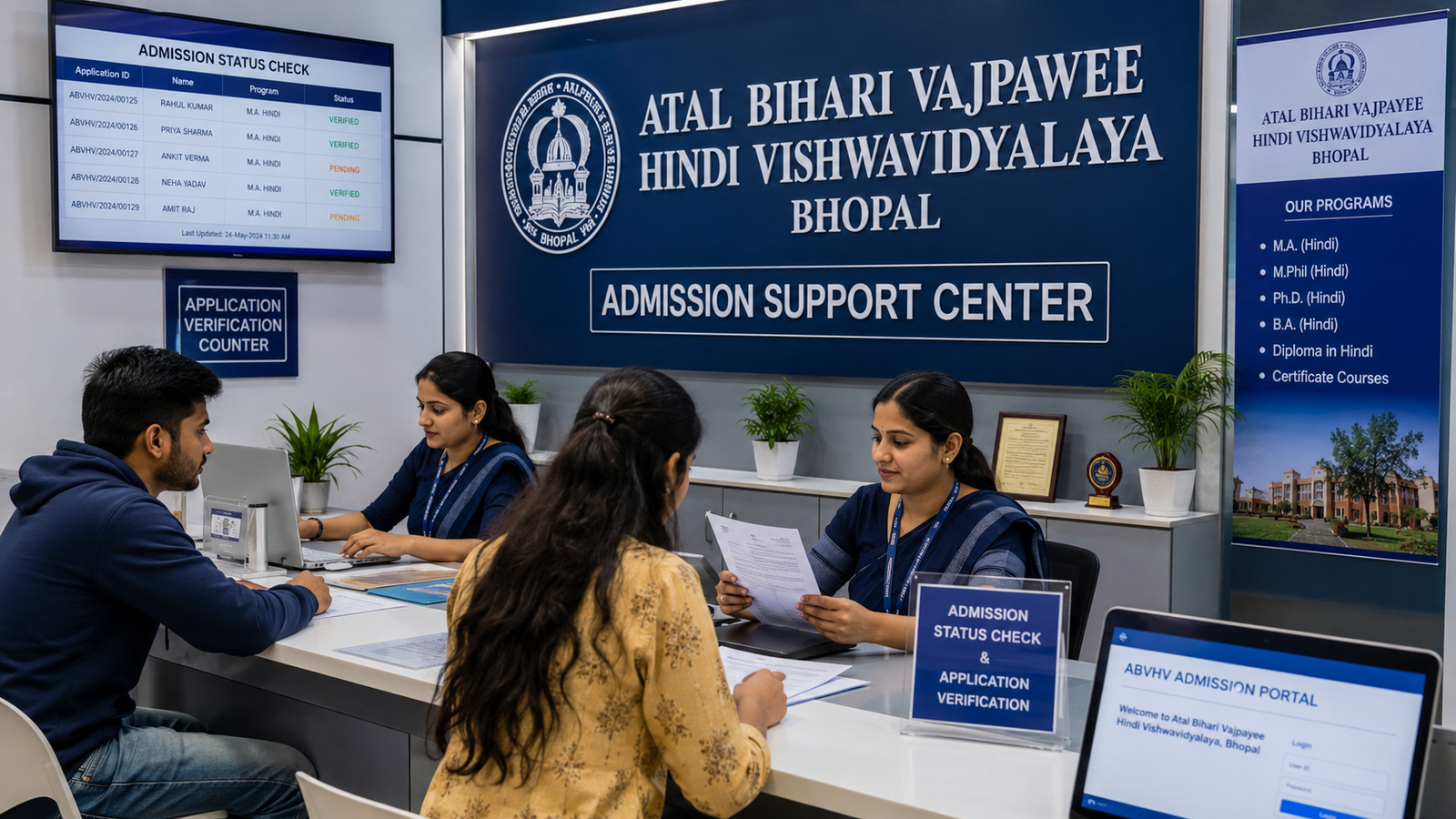
Atal Bihari Vajpayee Hindi Vishwavidyalaya Exam Form Correction 2026
Diploma और PG Diploma students के लिए examination form academic process का बहुत important हिस्सा होता है। Exam form में student का नाम, enrollment number, course, session, examination category, subjects, photograph, signature और fee-payment status जैसी information दर्ज हो सकती है।
इसी कारण students Atal Bihari Vajpayee Hindi Vishwavidyalaya Exam Form Correction 2026 की name correction, wrong enrollment number, subject selection, exam-fee status, photograph update और final-submission process की जानकारी search करते हैं।
Exam form में छोटी-सी गलती भी आगे निम्न problems create कर सकती है:
- Admit card generate न होना
- Wrong roll number
- Wrong subject list
- Back-paper subject missing
- Examination attendance mismatch
- Result not found
- Absent status
- Practical marks pending
- Marksheet error
- Supplementary record mismatch
- Certificate process में problem
इसलिए exam form final submit करने से पहले preview carefully check करना और payment के बाद receipt सुरक्षित रखना जरूरी है।
इस detailed guide में आपको exam-form filling, correction, required documents, subject verification, fee-payment status, failed transaction, final submission, correction window, admit card और result-record guidance आसान भाषा में मिलेगी।
Exam Form 2026 क्या है?
Exam form वह academic form हो सकता है जिसके माध्यम से enrolled student किसी निर्धारित examination में शामिल होने के लिए अपना examination record submit करता है।
Exam form में possible details:
- Student name
- Father name
- Mother name, if applicable
- Date of birth
- Enrollment number
- Course name
- Diploma या PG Diploma level
- Academic session
- Examination category
- Theory subjects
- Practical subjects
- Project या internship details
- Back-paper subjects
- Photograph
- Signature
- Examination fee
- Late fee, if applicable
- Final submission status
Exact form structure current examination process के अनुसार अलग हो सकती है।
Exam Form क्यों Important है?
Exam form के आधार पर आगे निम्न records तैयार हो सकते हैं:
- Roll number
- Admit card
- Subject list
- Examination centre
- Attendance sheet
- Practical record
- Result
- Marksheet
- Back-paper eligibility
- Supplementary examination record
Exam form में wrong information होने पर आगे के सभी examination records प्रभावित हो सकते हैं।
Exam Form और Enrollment Form में Difference
Enrollment Form
Enrollment form student के university academic registration से संबंधित होता है।
Exam Form
Exam form specific examination में student की participation से संबंधित होता है।
Simple process:
Admission
↓
Enrollment
↓
Enrollment Number
↓
Exam Form
↓
Exam Fee
↓
Admit Card
↓
Examination
↓
Result
↓
Marksheet
Enrollment complete होने के बाद ही exam form की eligibility बन सकती है।
Exam Form और Admit Card में Difference
Exam Form
Student exam के लिए details, subjects और fee submit करता है।
Admit Card
Exam form approve होने के बाद examination-entry document जारी हो सकता है।
Exam form की गलती admit card में दिखाई दे सकती है।
Exam Form कौन भर सकता है?
सामान्य रूप से वे students exam form भर सकते हैं जिनका:
- Admission confirmed हो
- Enrollment complete हो
- Enrollment number generated हो
- Course active हो
- Academic session correct हो
- Applicable fee clear हो
- Examination eligibility पूरी हो
- Required assignment, project या practical process complete हो, where applicable
Exact eligibility current academic rules से verify करनी चाहिए।
Regular, Back Paper और Supplementary Exam Form
Regular Exam Form
Current academic session की regular examination के लिए।
Back-Paper Exam Form
Failed या absent subject के दोबारा examination के लिए।
Supplementary Exam Form
Applicable supplementary examination के लिए।
Practical Exam Form
कुछ programmes में practical, project, viva या internship assessment का separate record हो सकता है।
Student को सही examination category select करनी चाहिए।
Exam Form भरने से पहले क्या Check करें?
Form शुरू करने से पहले verify करें:
- Enrollment approved है
- Enrollment number सही है
- Course सही है
- Session सही है
- Examination category clear है
- Subject list उपलब्ध है
- Previous result उपलब्ध है, for back paper
- Practical requirements complete हैं
- Project submission status clear है
- Exam-fee amount पता है
- Late fee applicable है या नहीं
- Photograph और signature ready हैं
- Active mobile number उपलब्ध है
Enrollment Number सबसे पहले क्यों Check करें?
Wrong enrollment number से exam form किसी दूसरे student record से map हो सकता है।
Enrollment slip से number digit-by-digit verify करें।
Exam Form भरने की General Process
- Enrollment status verify करें।
- Correct examination category select करें।
- Student login या authorized process open करें।
- Enrollment number enter करें।
- Student profile verify करें।
- Course और session check करें।
- Subject list select करें।
- Practical, project या back-paper subjects verify करें।
- Photograph और signature check करें।
- Exam-fee amount verify करें।
- Form preview देखें।
- Wrong details correct करें।
- Applicable payment करें।
- Payment status verify करें।
- Final submit करें।
- Exam-form acknowledgement download करें।
- Fee receipt सुरक्षित रखें।
- Admit-card status check करें।
Exact steps current system के अनुसार अलग हो सकते हैं।
Exam Form में कौन-कौन-सी Details Check करें?
Student Name
Student name enrollment slip और 10th marksheet से match करना चाहिए।
Father Name
Complete spelling verify करें।
Mother Name
जहाँ दिखाई जाए, correct academic record से compare करें।
Date of Birth
10th marksheet से verify करें।
Enrollment Number
Digit-by-digit enrollment slip से compare करें।
Course Name
Diploma या PG Diploma और complete specialization check करें।
Academic Session
Wrong session से examination और result record mismatch हो सकता है।
Examination Category
Verify करें:
- Regular
- Back paper
- Supplementary
- ATKT
- Practical
- Improvement, if applicable
Subject Names and Codes
Subject name और subject code दोनों check करें।
Photograph and Signature
Student की correct photograph और signature visible होनी चाहिए।
Exam-Fee Amount
Regular, back-paper या supplementary category के अनुसार amount verify करें।
Student Name Correction in Exam Form
Common name errors:
- Spelling mistake
- Surname missing
- Middle name missing
- Short name
- Wrong student name
- Hindi-English mismatch
- Name order बदलना
Name Correction के Possible Documents
- 10th marksheet
- Aadhaar card
- Enrollment slip
- Admission form
- Exam form
- Written correction request
- Supporting name-change document, if applicable
Name Correction Request में क्या लिखें?
Exam Form में गलत नाम: Amit Jain

सही नाम: Amit Kumar Jain
इसके साथ enrollment number, course और session भी लिखें।
Father Name Correction
Father-name correction के लिए possible records:
- 10th marksheet
- Enrollment slip
- Admission form
- Wrong exam form
- Written request
गलत father name result, marksheet और certificate तक जा सकता है।
Mother Name Correction
Mother name गलत हो तो final result तक wait न करें। Exam-form या enrollment stage पर correction guidance लेना बेहतर है।
Date of Birth Correction
DOB correction के लिए possible documents:
- 10th marksheet
- Birth certificate, if required
- Aadhaar
- Enrollment slip
- Written application
DOB अनुमान से change नहीं करनी चाहिए।
Enrollment Number Correction in Exam Form
Enrollment number exam form की primary academic identity हो सकती है।
Possible errors:
- One digit wrong
- Digit missing
- Extra digit
- Application number entered
- Roll number entered
- Another student’s enrollment number
- Wrong session number
Wrong Enrollment Number का Effect
- Admit card wrong
- Roll number mapping error
- Wrong subject list
- Result not found
- Marksheet mismatch
- Back-paper record problem
Required Records
- Correct enrollment slip
- Wrong exam form
- Admission receipt
- Exam-fee receipt
- Identity proof
- Written correction application
Correction के बाद updated exam form और admit card दोनों verify करें।
Course Name Correction
Common course errors:
- Basic Health Care की जगह Hospital Management
- Fire Safety की जगह Industrial Safety
- Diploma की जगह PG Diploma
- Sports Injury की जगह Disaster Management
- Wrong specialization
- Wrong course code
Course Correction के Possible Documents
- Admission form
- Admission receipt
- Enrollment slip
- Course-confirmation record
- Wrong exam form
- Written request
Course गलत होने पर subject list भी गलत हो सकती है।
Session Correction
Wrong academic session से:
- Wrong examination cycle
- Admit-card error
- Result pending
- Marksheet mismatch
- Back-paper eligibility issue
हो सकती है।
Session correction के लिए admission receipt, enrollment slip और exam-form copy useful हो सकते हैं।
Subject Selection सबसे Important क्यों है?
Student उन्हीं subjects की examination दे सकता है जो उसके valid examination record में mapped हों।
Possible subject errors:
- Subject missing
- Extra subject
- Wrong subject code
- Practical subject missing
- Project missing
- Cleared subject दोबारा जुड़ना
- Back-paper subject missing
- Different course का subject
Subject Missing हो तो क्या करें?
Ready रखें:
- Course subject list
- Enrollment slip
- Exam form
- Previous result, if applicable
- Marksheet
- Back-paper application
- Exam-fee receipt
- Written correction request
Subject admit card में आने से पहले correction कराना बेहतर है।
Wrong Subject Select हो जाए तो?
गलत subject final submit से पहले deselect या correct किया जा सकता है, यदि editing facility उपलब्ध हो।
Final submit के बाद:
- Wrong subject लिखें
- Correct subject लिखें
- Subject code mention करें
- Course and session दें
- Supporting result या subject list attach करें
- Written correction guidance लें
Subject Code गलत हो तो?
केवल subject title पर depend न करें। Same या similar title वाले papers के codes अलग हो सकते हैं।
Check करें:
- Paper name
- Subject code
- Theory या practical
- Regular या back paper
- Course semester/year
- Previous result
Practical Subject Missing
कुछ courses में practical, project, viva, internship या field-work assessment जरूरी हो सकता है।
Verify करें:
- Practical subject
- Project code
- Viva
- Internship
- Internal assessment
- Practical fee, if applicable
Practical record missing होने से result pending हो सकता है।
Back-Paper Subject Correction
Back-paper form में केवल eligible failed या absent subject select करना चाहिए।
Compare करें:
- Previous result
- Marksheet
- Failed subject
- Absent subject
- Subject code
- Previous session
- Back-paper fee receipt
Passed Subject Back Paper में दिखे तो?
Previous result और marksheet से verify करें। बिना guidance passed subject का exam दोबारा न दें।
Failed Subject Missing हो तो?
Correction request के साथ previous result और marksheet attach करें।
Examination Category गलत Select हो जाए तो?
Possible category errors:
- Regular की जगह back paper
- Back paper की जगह regular
- Supplementary की जगह regular
- Wrong year या semester
- Improvement category गलत
Wrong category से fee और subject mapping दोनों प्रभावित हो सकते हैं।
Photograph Correction
Possible photograph problems:
- Wrong student photograph
- Blurred photo
- Photo missing
- Signature की image upload
- Cropped face
- Old photo
- Dark image
Photograph Correction Documents
- Recent passport-size photo
- Aadhaar या identity proof
- Enrollment slip
- Wrong exam form
- Written correction request
Admit card जारी होने से पहले photo verify करना जरूरी है।
Signature Correction
Possible errors:
- Signature missing
- Wrong student signature
- Blurred signature
- Photo की जगह signature
- Signature cut होना
Clear signature sample और student identity record के साथ correction request दें।
Exam Form Preview
Final submission से पहले preview में check करें:
- Student name
- Father name
- Mother name
- DOB
- Enrollment number
- Course
- Session
- Examination category
- Subject names
- Subject codes
- Practical subjects
- Back-paper subjects
- Photograph
- Signature
- Fee amount
- Mobile number
Preview PDF या screenshot सुरक्षित रखें।
Final Submission का Meaning
Final submit के बाद form editing limited या unavailable हो सकती है।
Final submission से पहले:
- दो बार form check करें
- Enrollment slip साथ रखें
- Subject list compare करें
- Previous result देखें
- Payment amount verify करें
- Photograph और signature open करके देखें
Final Submit Button दबाने के बाद क्या करें?
- Submission confirmation देखें
- Application या exam-form number note करें
- PDF download करें
- Fee payment complete करें, if pending
- Receipt save करें
- Status check करें
- Admit-card process track करें
Exam Fee 2026
Exam fee course, examination type, subjects और late-fee status के अनुसार अलग हो सकती है।
Possible fee components:
- Regular examination fee
- Practical fee
- Project fee
- Back-paper fee
- Supplementary fee
- Late fee
- Portal or service charge, if applicable
Exact amount current examination instructions से verify करें।
Exam Fee Payment Methods
Possible payment options:
- UPI
- Debit card
- Credit card
- Net banking
- Authorized online gateway
- MPOnline या assisted payment, if applicable
Payment केवल verified process से करें।
Exam Fee Payment से पहले क्या Check करें?
- Student name
- Enrollment number
- Course
- Session
- Examination category
- Subject count
- Fee amount
- Late fee
- Payment purpose
- Refund condition
- Receipt availability
Payment Successful होने के बाद क्या करें?
- Payment-status screen check करें
- Receipt download करें
- Transaction ID save करें
- Paid amount verify करें
- Exam-form status check करें
- Final-submission status check करें
- Form PDF download करें
Payment Failed लेकिन Amount कट गया
General steps:
- तुरंत दोबारा payment न करें।
- Bank या UPI transaction check करें।
- Transaction ID note करें।
- Screenshot save करें।
- Exam-form status check करें।
- Receipt generated है या नहीं देखें।
- Payment update का इंतजार करें।
- Written complaint या support request दें।
- Duplicate payment से बचें।
Payment Pending का Meaning
Possible reasons:
- Bank response pending
- Payment mapping delay
- Transaction incomplete
- Final submit pending
- Portal technical issue
Payment pending रहते हुए admit card process रुक सकती है।
Payment Successful लेकिन Form Pending
Check करें:
- Final submit किया था या नहीं
- Payment receipt generated है
- Subject selection complete है
- Photograph and signature approved हैं
- Enrollment record valid है
- Document objection pending नहीं है
Duplicate Payment हो जाए तो?
Ready रखें:
- दोनों transaction IDs
- Bank statement
- Payment receipts
- Exam-form number
- Student name
- Enrollment number
- Course
- Session
Refund या adjustment current policy पर depend करेगा।
Exam Form Status 2026
Possible statuses:
- Form incomplete
- Draft saved
- Form submitted
- Payment pending
- Payment successful
- Under verification
- Subject correction required
- Document objection
- Approved
- Admit card pending
- Admit card generated
- Rejected
- Correction pending
Exact status meaning current system से verify करें।
Draft Saved और Final Submitted में Difference
Draft Saved
Details temporarily saved हो सकती हैं, लेकिन form officially submitted नहीं हुआ।
Final Submitted
Form examination processing के लिए submit हो चुका हो सकता है।
Student को केवल draft save करके form complete मानने से बचना चाहिए।
Exam Form Rejected क्यों हो सकता है?
Possible reasons:
- Enrollment incomplete
- Wrong course
- Wrong session
- Invalid subject
- Exam fee pending
- Photograph missing
- Signature missing
- Duplicate exam form
- Back-paper eligibility नहीं
- Required practical or project pending
- Last date निकल जाना
- Student record mismatch
Exact rejection reason written form में पूछें।
Document Objection कैसे Clear करें?
- Objection reason पढ़ें।
- Correct document identify करें।
- Clear scan तैयार करें।
- Deadline check करें।
- Correct document upload करें।
- Submission proof save करें।
- Updated status verify करें।
Exam Form Correction Window
Correction window limited period हो सकती है जिसमें selected fields edit की जा सकती हैं।
हर field editable हो, यह जरूरी नहीं है।
Possible editable fields:
- Subject
- Photograph
- Signature
- Contact details
- Selected examination category
Sensitive fields के लिए written correction application required हो सकती है:
- Student name
- DOB
- Enrollment number
- Course
- Session
Exam Form Correction की General Process
- Exam form download करें।
- Error identify करें।
- Correct academic record verify करें।
- Correction option check करें।
- Supporting documents तैयार करें।
- Wrong और correct details clearly लिखें।
- Correction fee हो तो verify करें।
- Request submit करें।
- Acknowledgement लें।
- Updated exam form download करें।
- Payment status check करें।
- Admit card मिलने पर details verify करें।
Correction Application में क्या लिखें?
Include करें:
- Student name
- Father name
- Enrollment number
- Course
- Session
- Examination category
- Wrong detail
- Correct detail
- Subject name and code
- Payment status
- Mobile number
- Date
- Signature
Correction Submitted लेकिन Update नहीं हुआ
Correction request submit होना और updated record approve होना अलग stages हैं।
Possible statuses:
- Request received
- Documents under verification
- Additional document required
- Correction approved
- Form update pending
- Revised exam form available
- Correction rejected
Updated form verify किए बिना correction complete न मानें।
Correction Reject क्यों हो सकती है?
Possible reasons:
- Supporting documents incomplete
- Correct detail verify नहीं हुई
- Enrollment mismatch
- Course or session mismatch
- Subject eligibility नहीं
- Exam fee pending
- Deadline over
- Duplicate form
- Request unclear
- Invalid document
Exam Form Correction Fee
Correction type और academic stage के अनुसार fee applicable हो सकती है।
Payment से पहले check करें:
- Fee किस correction के लिए है
- Receipt मिलेगी
- Student name
- Enrollment number
- Course
- Session
- Refund condition
Unknown personal account पर payment न करें।
Exam Form और Admit Card Matching
Admit card मिलने पर exam form से compare करें:
- Student name
- Enrollment number
- Course
- Session
- Subjects
- Examination category
- Photograph
- Roll number
- Exam centre
Mismatch मिलने पर examination date से पहले correction guidance लें।
Exam Form और Result का Connection
Exam form में selected subjects और student identity result record से linked हो सकती है।
Possible result issues:
- Subject missing
- Wrong subject
- Absent status
- Practical pending
- Result withheld
- Wrong roll number
- Record not found
Submitted exam form और fee receipt result correction के लिए important proof हो सकते हैं।
Exam Form और Marksheet का Connection
Marksheet में subject names, marks और roll number examination record से आते हैं।
Marksheet मिलने पर exam form से compare करें:
- Course
- Session
- Subject list
- Roll number
- Enrollment number
- Result status
Back Paper Exam Form Final Checklist
- Previous result available है
- Failed या absent subject verified है
- Correct subject code selected है
- Enrollment number correct है
- Back-paper category selected है
- Correct session selected है
- Fee amount verified है
- Receipt saved है
- Final submission complete है
- Back-paper admit card check करना है
Exam Form Print Guidance
- Original PDF download करें
- A4 size पर print लें
- Full page visible रखें
- Student details readable हों
- Subject list cut न हो
- Payment status दिखाई दे
- Form number clear हो
- Extra print copy रखें
Cyber Café से Exam Form भरवाते समय सावधानियाँ
- अपना enrollment number दें
- Enrollment slip साथ रखें
- Subject list स्वयं check करें
- Previous result दिखाएं, for back paper
- Form preview स्वयं देखें
- Payment receipt लें
- Final-submission proof लें
- Login details सुरक्षित रखें
- Wrong course या session check करें
- Cyber-café system से logout कराएं
Fake Exam Form Services से सावधान रहें
Red flags:
- बिना enrollment exam form
- बिना fee form approved
- Back-paper subject बिना result select करना
- Personal UPI payment
- Receipt न देना
- Edited exam form
- Guaranteed admit card
- Marks बदलने का दावा
- Fake examination portal
- OTP और password मांगना
Personal Data Safety
Unknown persons को share न करें:
- Full Aadhaar number
- OTP
- Login password
- Bank details
- Signature
- Complete academic files
- Payment credentials
Guidance के लिए documents भेजते समय unnecessary sensitive details mask करें।
Exam Form Final Verification Checklist
Final submit से पहले check करें:
- Student name सही है
- Father name सही है
- DOB सही है
- Enrollment number सही है
- Course सही है
- Diploma या PG Diploma level सही है
- Session सही है
- Examination category सही है
- सभी subjects सही हैं
- Subject codes सही हैं
- Practical subject included है
- Back-paper subject correct है
- Photograph सही है
- Signature सही है
- Fee amount सही है
- Payment successful है
- Final submit complete है
- PDF saved है
- Receipt saved है
Old Students के लिए Important Guidance
Old students जिनके exam form, admit card और result में mismatch है, वे ये records collect करें:
- Enrollment slip
- Old exam form
- Exam-fee receipt
- Admit card
- Practical admit card
- Result
- Marksheet
- Back-paper form
- Supplementary form
- Correction acknowledgement
- Revised academic record
Old-record correction current examination rules के अनुसार अलग process से हो सकती है।
New Students के लिए Important Advice
- Enrollment slip से exam form details verify करें।
- Form draft और final submission का difference समझें।
- Subjects carefully select करें।
- Back-paper form में previous result check करें।
- Payment के बाद receipt जरूर लें।
- Amount कटने पर तुरंत duplicate payment न करें।
- Admit card मिलते ही exam form से compare करें।
- Correction acknowledgement सुरक्षित रखें।
- Exam form, admit card और result तक सभी records रखें।
- Fake form और payment services से बचें।
Common Student Queries
Students अक्सर इन questions के बारे में search करते हैं:
- Atal Bihari Vajpayee Hindi Vishwavidyalaya Exam Form Correction 2026 कैसे करें?
- Exam form में student name गलत हो तो क्या करें?
- Father name correction कैसे होगी?
- Enrollment number गलत हो जाए तो क्या करें?
- Diploma की जगह PG Diploma select हो जाए तो क्या करें?
- Course name correction कैसे होगी?
- Wrong session कैसे correct करें?
- Subject missing हो तो क्या करें?
- Wrong subject select हो जाए तो क्या करें?
- Subject code correction कैसे करें?
- Back-paper subject form में नहीं दिख रहा तो क्या करें?
- Passed subject back paper में दिखे तो क्या करें?
- Practical subject missing हो तो क्या करें?
- Photograph गलत हो तो कैसे बदलें?
- Signature missing हो तो क्या करें?
- Exam fee pending क्यों दिख रही है?
- Amount कट गया लेकिन receipt नहीं मिली तो क्या करें?
- Payment successful लेकिन form pending है तो क्या करें?
- Draft saved और final submitted में क्या difference है?
- Exam form status कैसे check करें?
- Form rejected क्यों होता है?
- Correction window कब मिलेगी?
- Updated exam form कैसे download करें?
- Exam form correction से admit card update होगा क्या?
- Exam form के बिना admit card मिलेगा क्या?
Important Search Keywords
- Atal Bihari Vajpayee Hindi Vishwavidyalaya Exam Form Correction 2026
- Atal Bihari Vajpayee Hindi Vishwavidyalaya Wrong Exam Form
- Atal Bihari Vajpayee Hindi Vishwavidyalaya Exam Form Subject Correction
- Atal Bihari Vajpayee Hindi Vishwavidyalaya Exam Fee Status 2026
Useful Guidance Websites
University exam form, admit card, result, marksheet और certificate-related guidance:
Healthcare, management, wellness, safety और skill-based programme guidance:
Exam-form correction या payment से पहले current examination process और required documents verify करना जरूरी है।
Exam Form Correction Guidance के लिए Contact
अगर आप Atal Bihari Vajpayee Hindi Vishwavidyalaya Exam Form Correction 2026 के बारे में student name, enrollment number, course, session, subject selection, back-paper subject, fee status, photograph, signature या final submission guidance चाहते हैं, तो academic examination help desk से संपर्क कर सकते हैं।
Guidance में आपको निम्न information मिल सकती है:
- Exam-form verification
- Student-name correction
- Enrollment-number correction
- Course and session verification
- Subject-selection guidance
- Back-paper subject correction
- Practical-subject guidance
- Photograph and signature update
- Exam-fee payment status
- Failed-payment guidance
- Final-submission verification
- Correction-status follow-up
- Admit-card record matching
- Required-document checklist
Final correction submission या payment से पहले सभी details verify करें।
Conclusion
Atal Bihari Vajpayee Hindi Vishwavidyalaya Exam Form Correction 2026 examination record को सही बनाए रखने के लिए important process हो सकती है। Exam form में student name, enrollment number, course, session, subject, photograph, signature या fee-status की गलती admit card, attendance, result और marksheet तक problem create कर सकती है।
Exam form final submit करने से पहले enrollment slip, course subject list और previous result से सभी details compare करें। Payment के बाद receipt और transaction ID सुरक्षित रखें। Amount कटने पर तुरंत duplicate payment करने से बचें।
गलती मिलने पर supporting documents के साथ correction request submit करें और acknowledgement लें। Updated exam form तथा admit card verify किए बिना correction complete न मानें।
Exam form, fee receipt, admit card, result और marksheet की copies academic record पूरा होने तक सुरक्षित रखना student के लिए बहुत जरूरी है।